
What's new in 0.1
The features that change how you make diagrams.
spinagram 0.1 is the first stable release. Beyond boxes and arrows, it brings the features that turn a diagram into something you can hand to anyone: new diagram types, real styling, diagrams that explain themselves, a catalog to find them, and AI agents that can draw them for you.
Flowcharts, state machines and swimlanes
Until now spinagram drew structure: what runs where. It now draws behavior: what happens, in what
order, and who does it. Three builders speak the language of each diagram type, and a new built-in
layered engine ranks the flow, routes arrows at right angles and draws loops round the side.
from spinagram import Flowchart

fc = Flowchart("B01", "Checkout")
card, valid = fc.io("Read card"), fc.decision("Card valid?")
fc.start() >> card >> valid
valid.yes(fc.process("Charge card")) >> fc.end()
valid.no(fc.io("Show error")).to(card, "retry")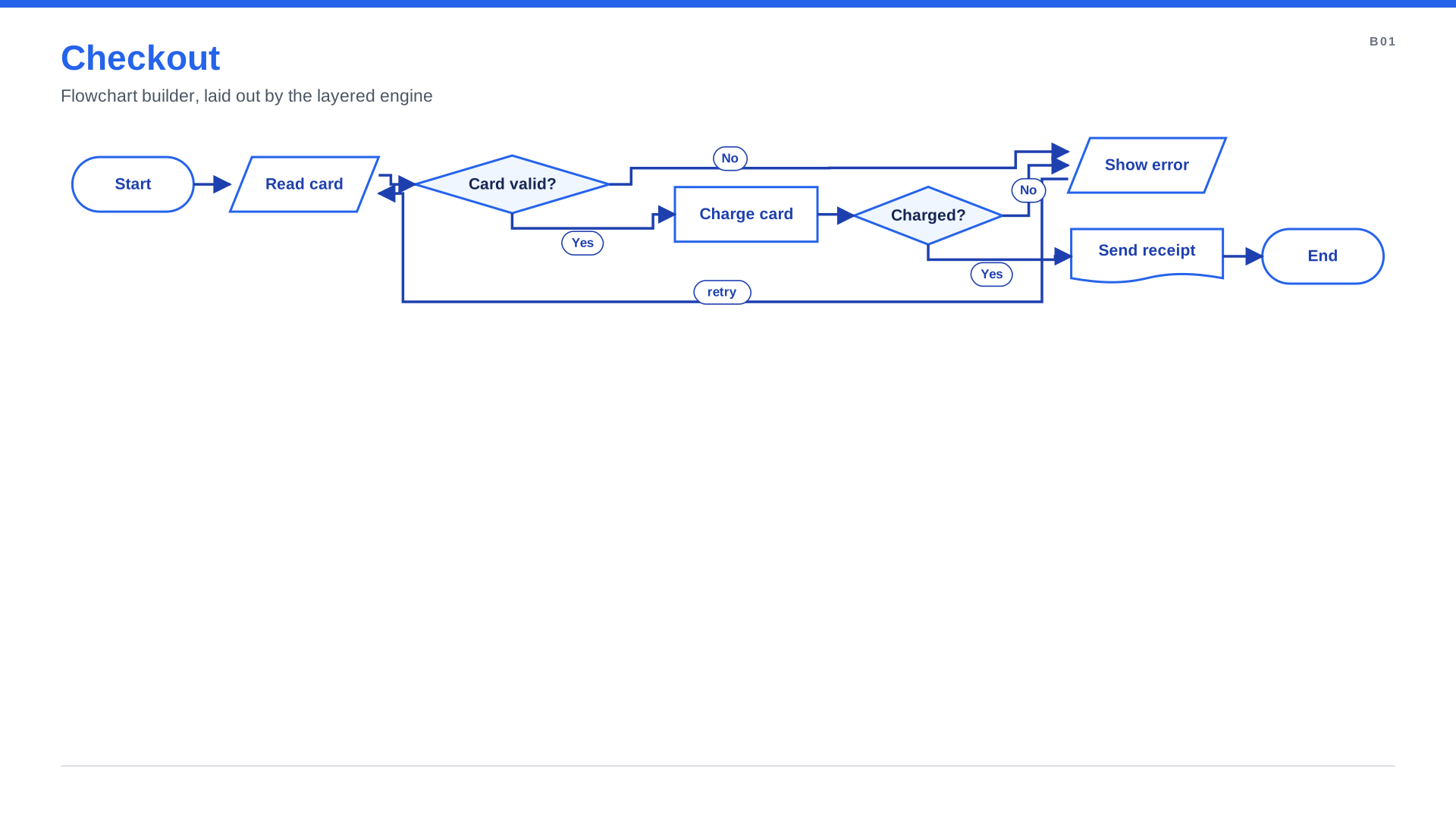
Flowchart
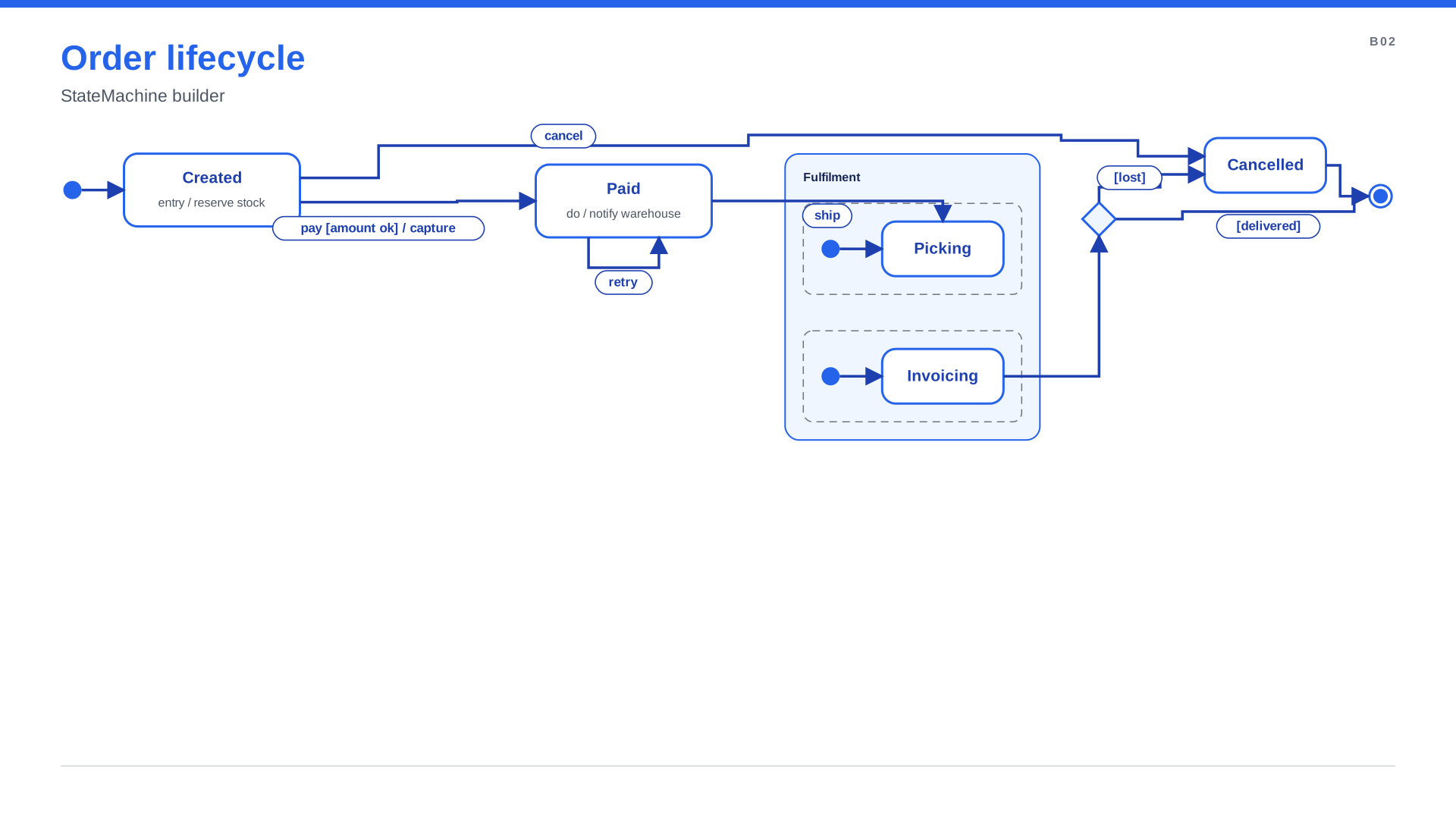
State machine
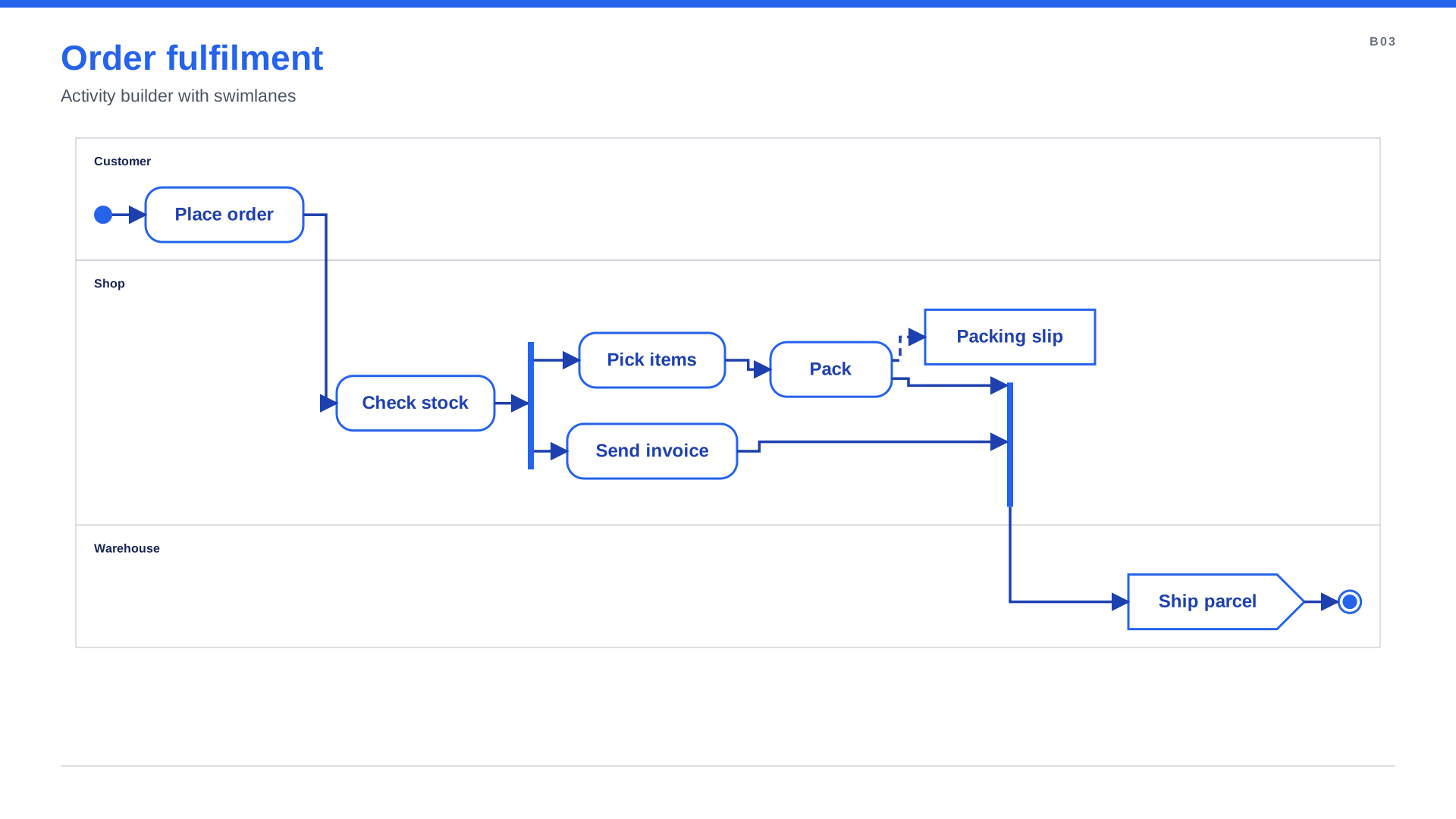
Activity with swimlanes
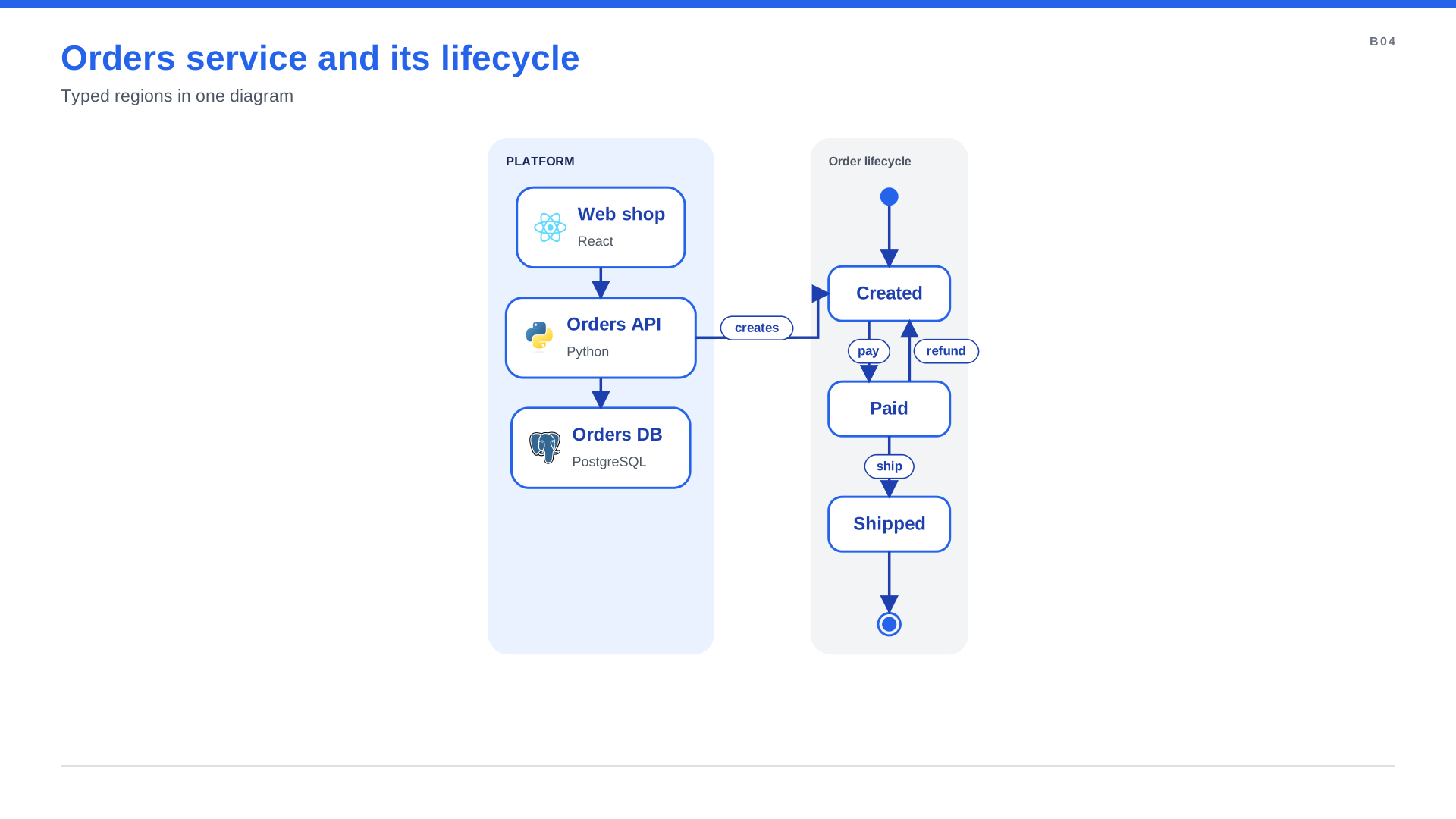
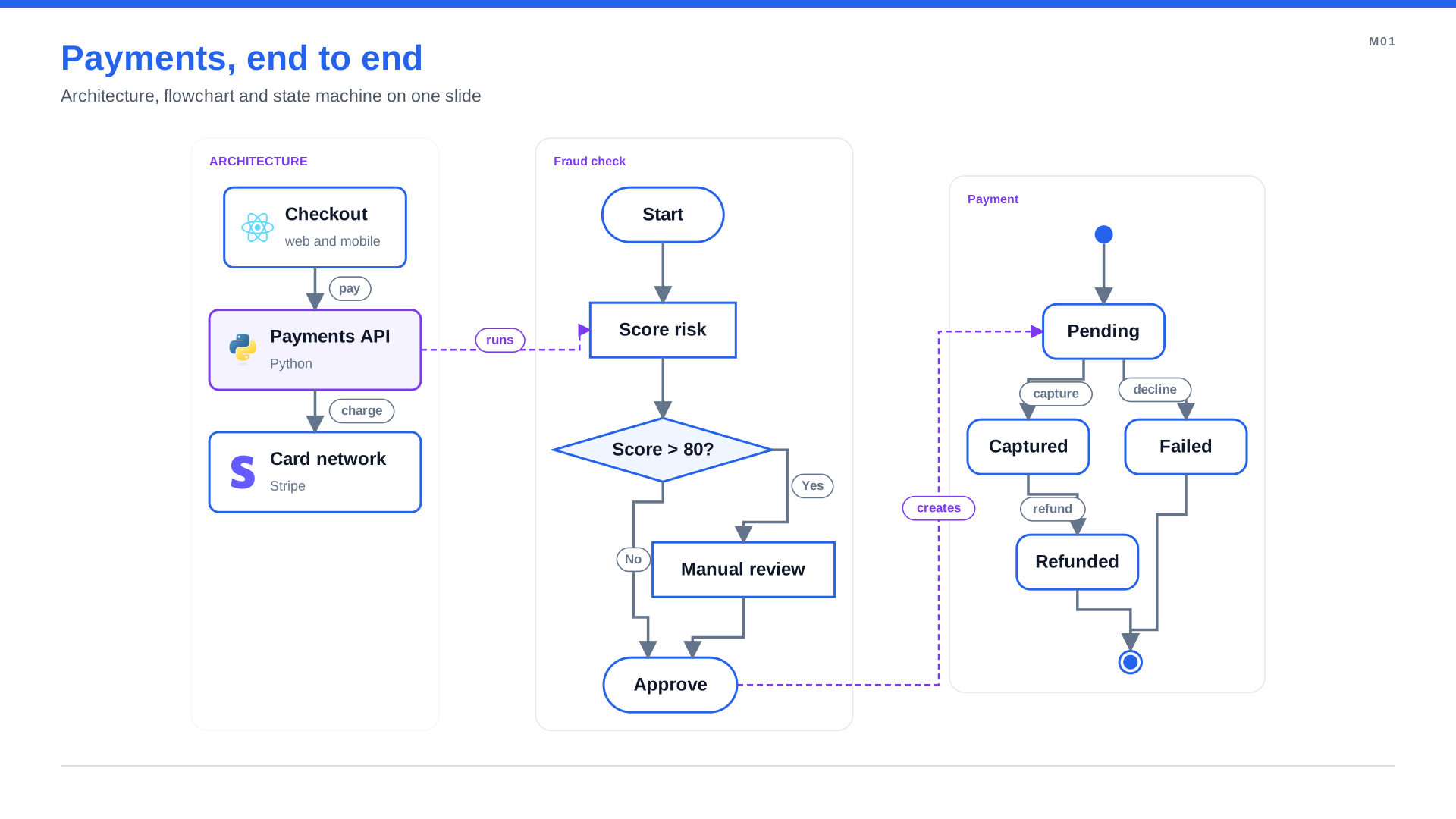
Two diagram types, one slide
Why it matters: the architecture and the process behind it now live in one tool, one style and one
slide. with d.state_machine(...) drops a state machine inside an architecture diagram, connected with
normal arrows. Behavior diagrams →
More diagram types on one slide →
Style anything with CSS
Diagrams can now be styled with the CSS you already know: selectors, classes, the cascade and custom properties. Keep the diagram about what and move how it looks into a stylesheet that every diagram of your team shares.
node.critical { fill: #FEE2E2; stroke: #DC2626; stroke-width: 4 }
edge.async    { stroke: #F59E0B; stroke-dasharray: 6 4; marker-end: open-arrow }
group.vpc node::title { color: var(--brand) }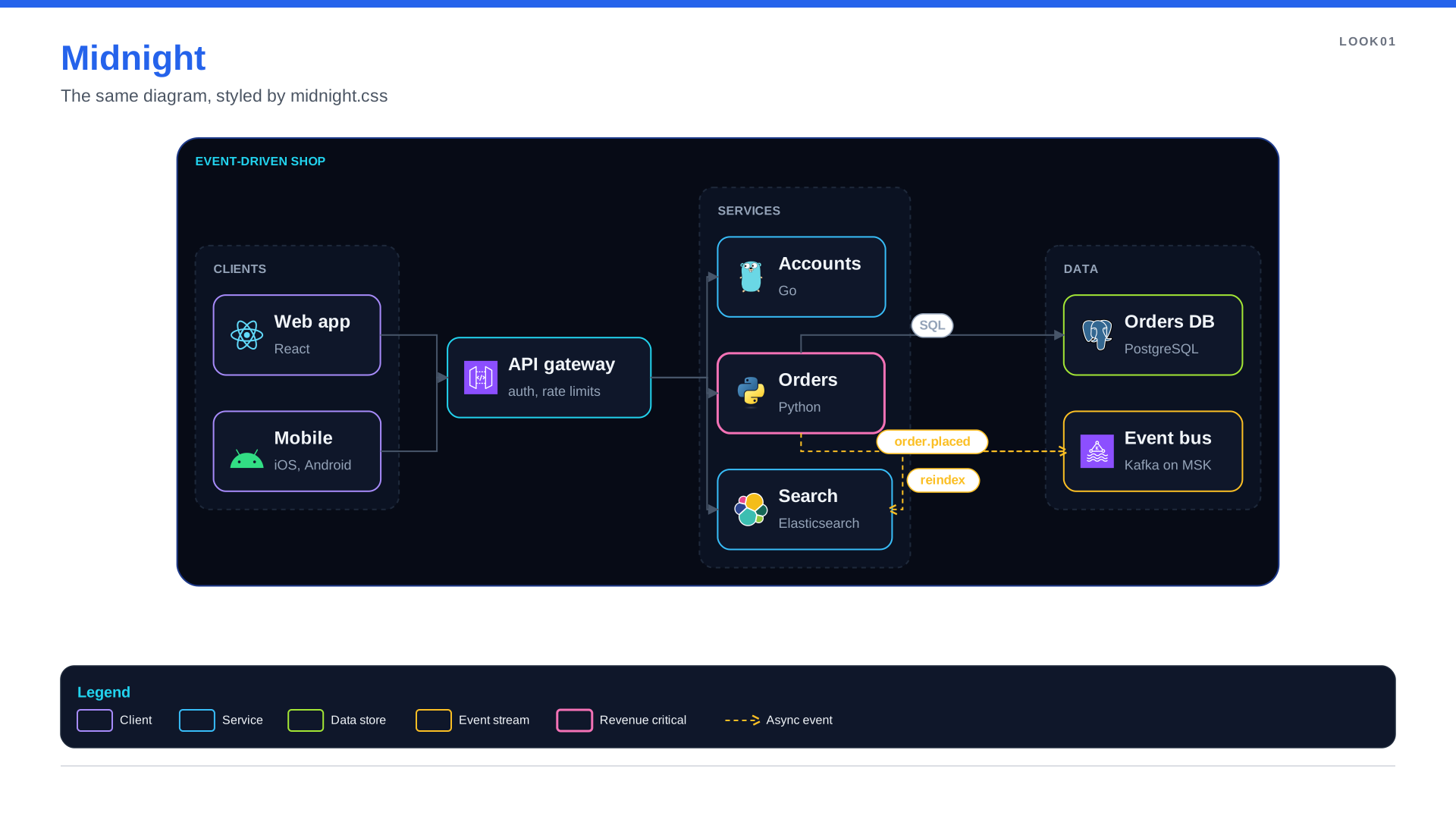
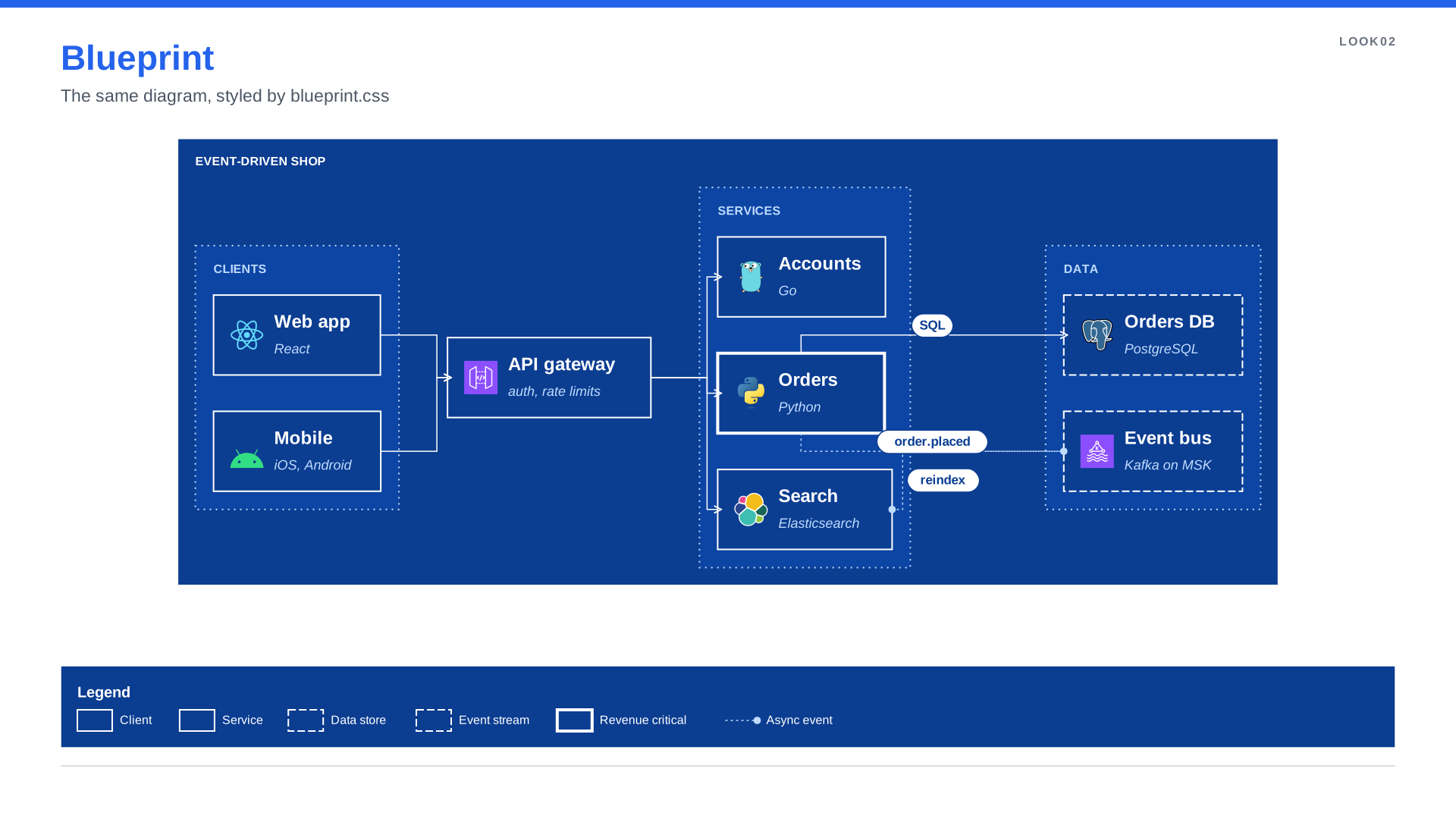
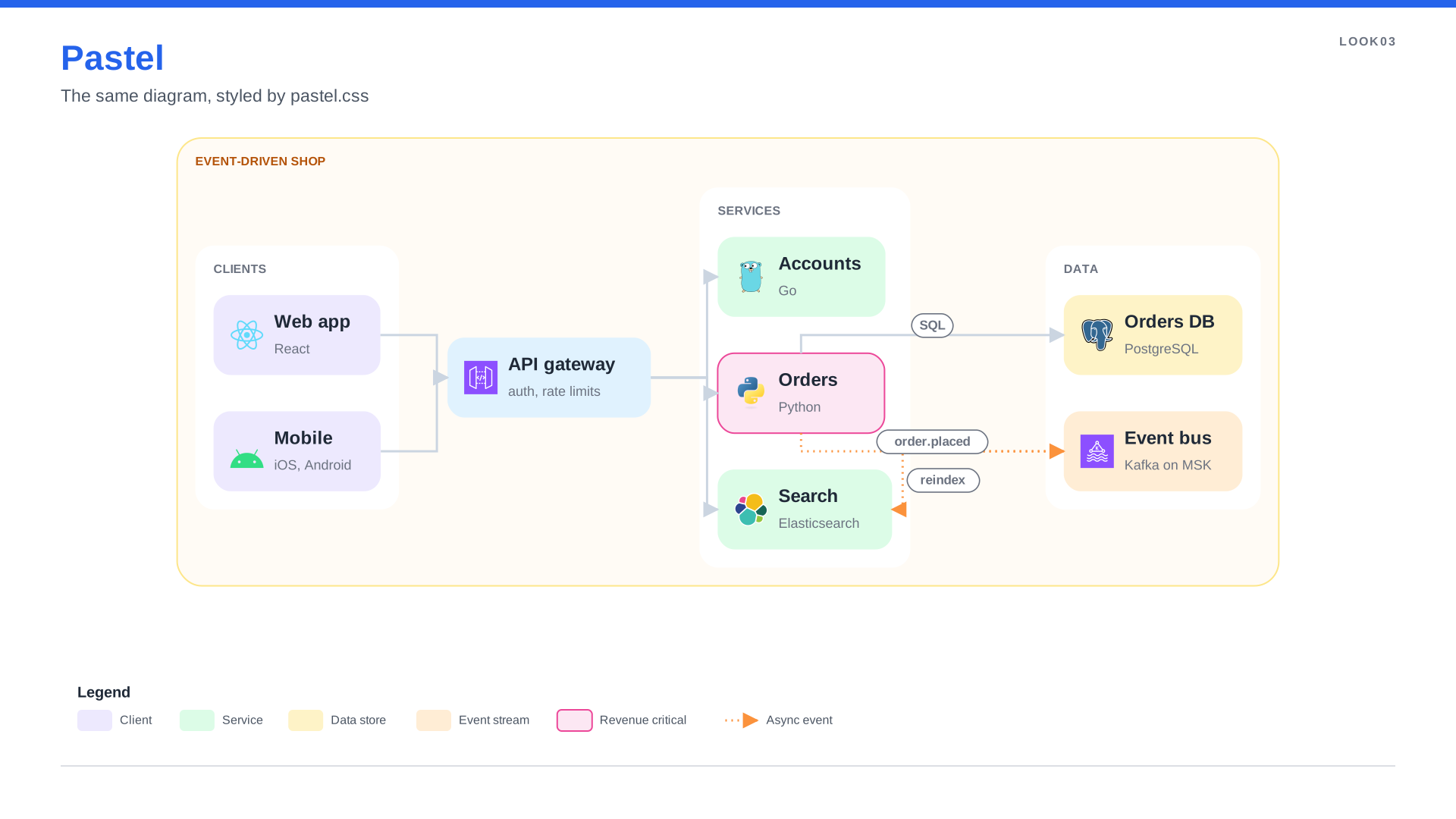
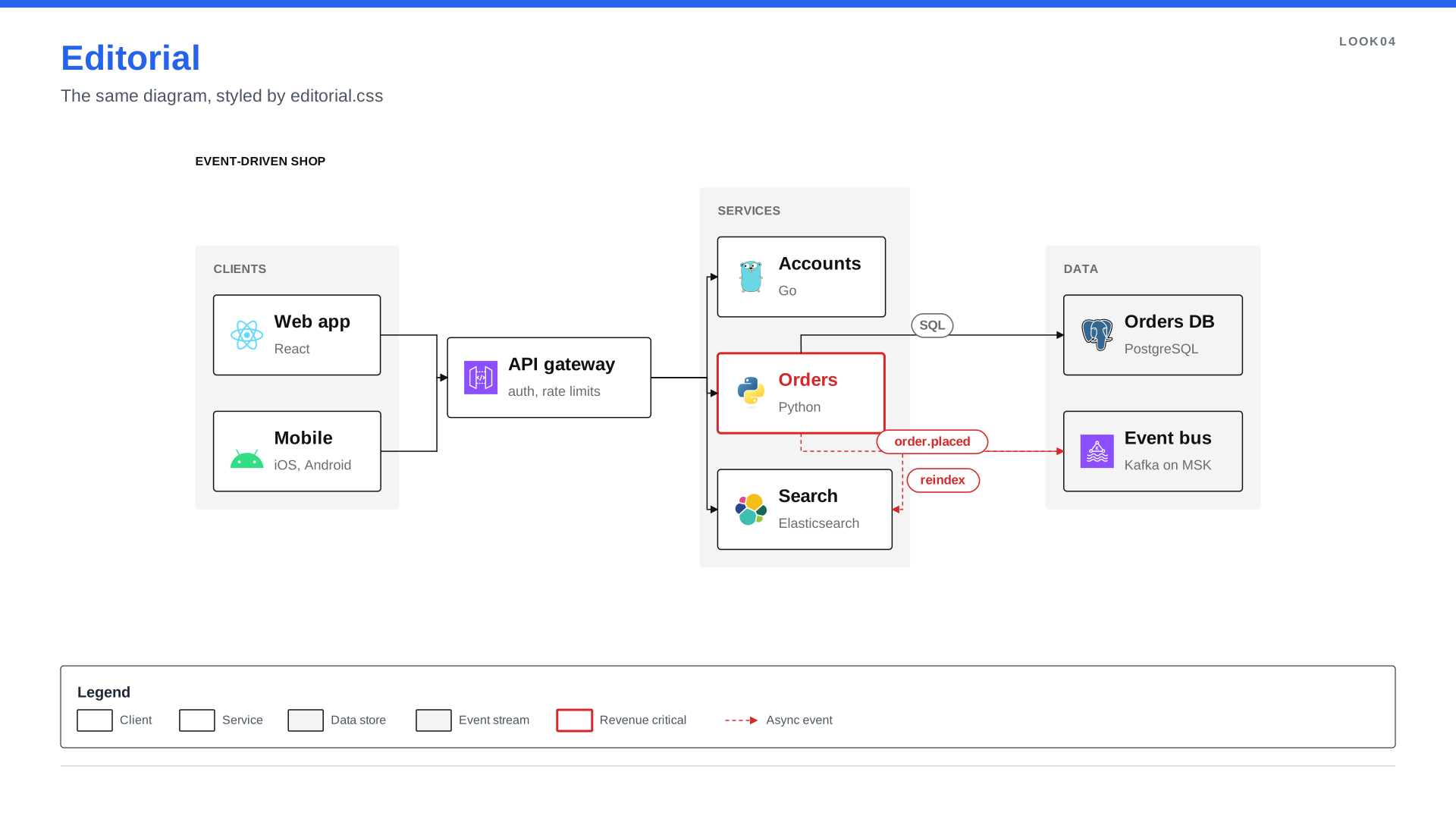
Those four slides are the same Python file with four stylesheets. See the code →
The same rules render in SVG, PowerPoint and Figma. Dashes, shadows and arrowhead kinds come out as native PowerPoint and Figma properties, not pictures.
Why it matters: rebranding a whole deck is one file change, and you never have to guess where a colour
came from. Press Inspect in spinagram serve and click any element to see the rule that set each
value. Saving the stylesheet re-renders every diagram that uses it.
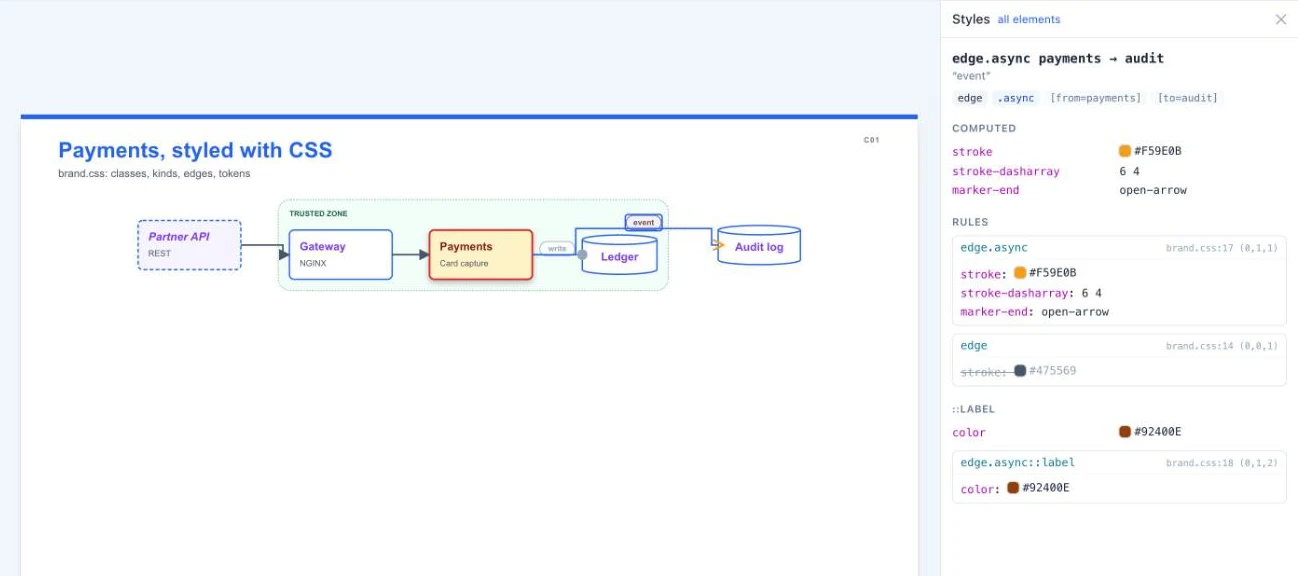
CSS styling → · What each format does with each property →
Diagrams that explain themselves
A diagram that needs a presenter stops working the moment it is forwarded. Four annotations keep the explanation on the slide:
| Annotation | One line of code | What it adds |
|---|---|---|
| Numbered steps | a.to(b, "SQL", step="Order is stored") | A badge on the arrow and a line in a Steps panel |
| Legend | d.add_legend() | Every class, style and line type in the diagram, decoded |
| Callout | d.callout(db, "Snapshots every 6 h", kind="tip") | A bubble with a leader line, placed on a free side |
| Note | d.note("Why Aurora", text="...", variant="card") | Sticky notes, cards and quotes for the narrative |
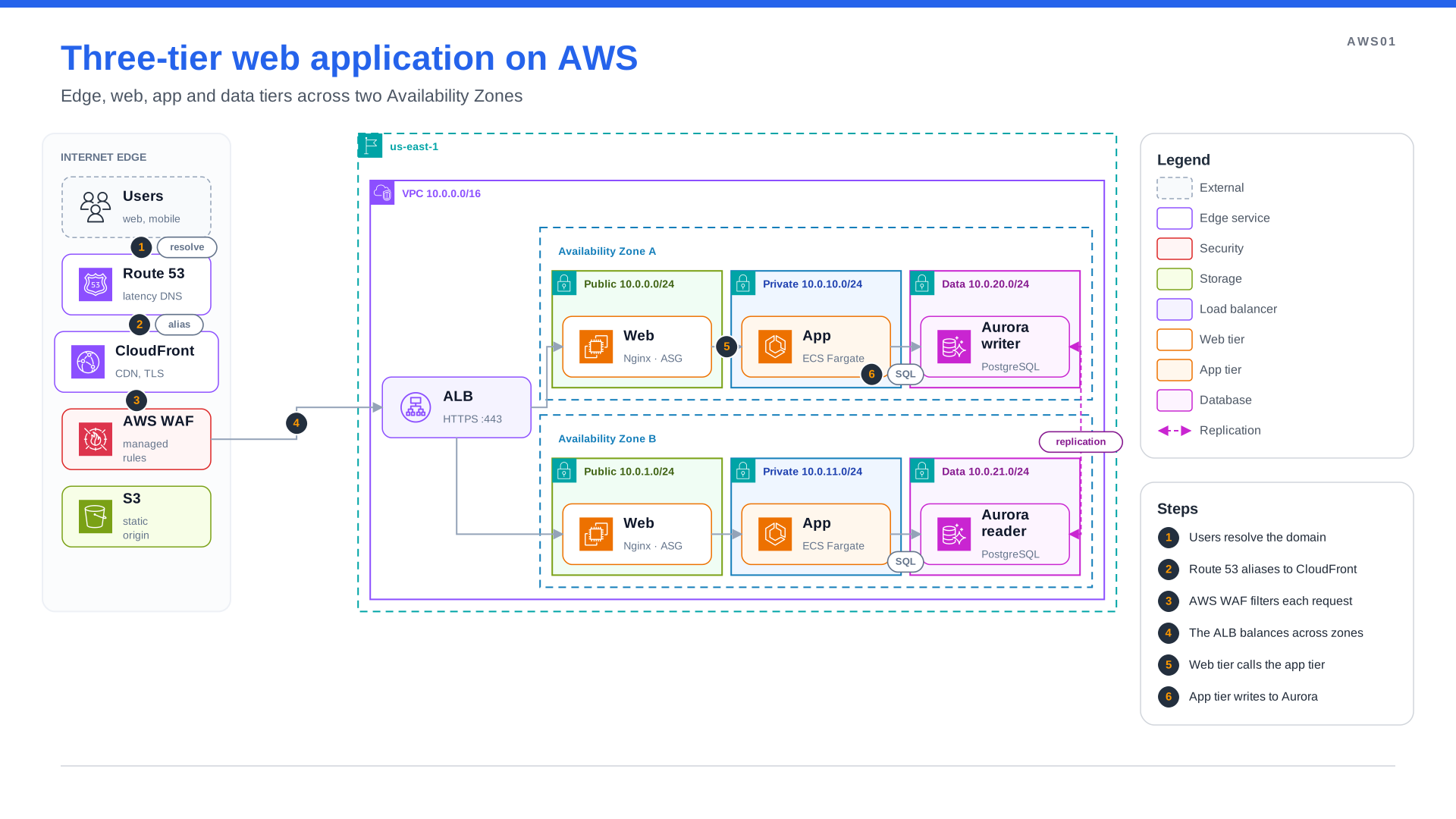
Steps and a legend
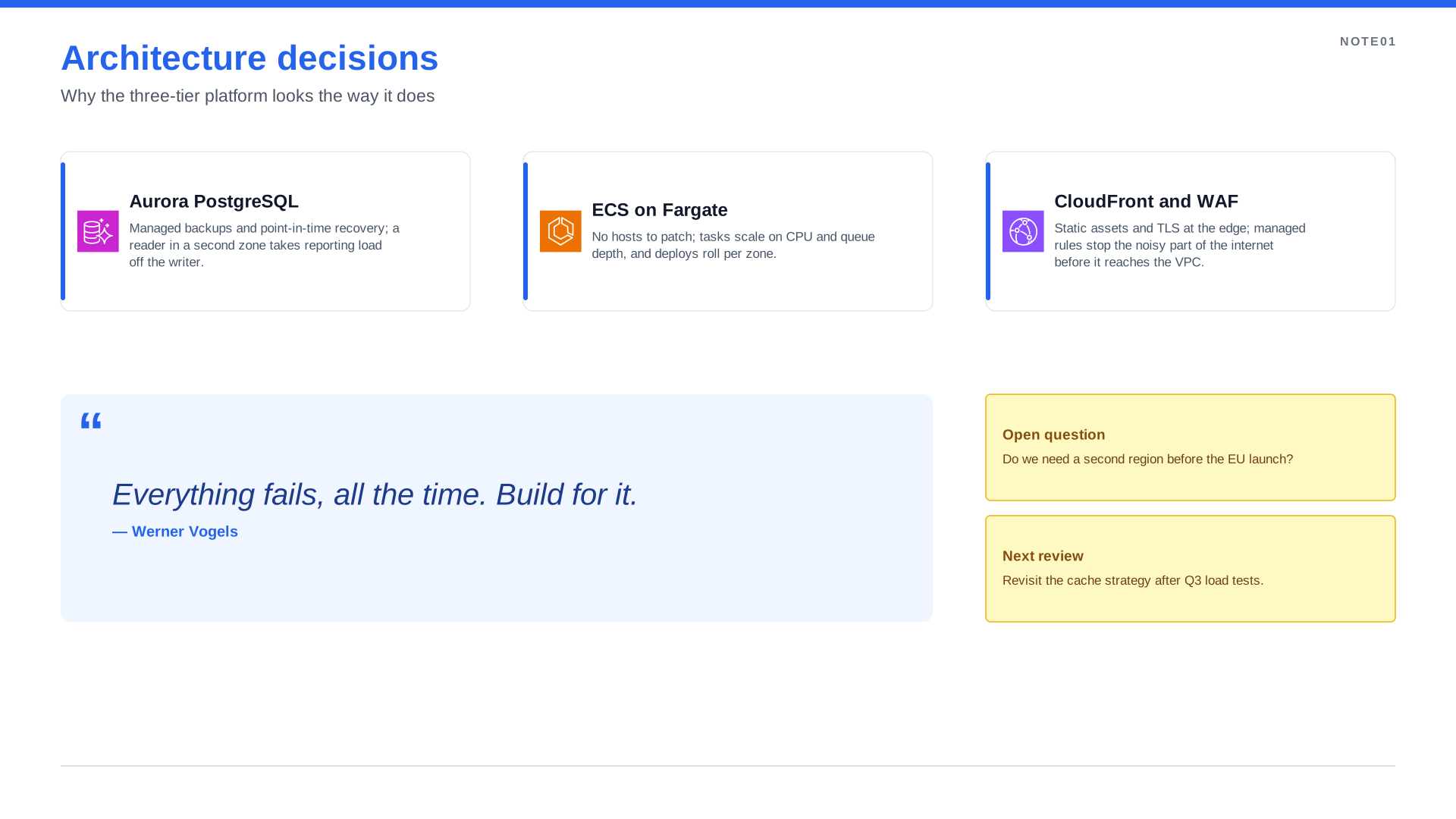
Designed notes
Why it matters: the layout reserves room for the legend and steps, so they never cover the diagram,
and spinagram check flags duplicate step numbers or a legend entry that matches nothing.
Annotations →
A catalog for all your diagrams
spinagram serve grew from a single preview into a browsable catalog:
- Diagrams page: every diagram as a live thumbnail, grouped by category, with search and tag chips.
- Themes page: each theme shown on a sample diagram, so you pick one by looking, not by reading tokens.
- Icon packs page: twelve sample icons per pack, the full searchable grid one click away.
- A sidebar with the ten diagrams you opened last.
You do not have to tag anything: a diagram full of aws: icons lands in AWS, one with k8s: icons in
Kubernetes. Declare category= and tags= when you want your own, and filter on the command line
with spinagram render specs/ --tag kubernetes. Live UI →
spinagram serve examples/Ask your AI agent for a diagram
spinagram now ships agent skills: the instructions, recipes and worked examples a coding agent needs to write, style and check diagrams well. Install them once and ask in plain words.
spinagram skills install --agent claude # or codex, copilot, cursor, gemini, opencode"Draw our checkout service on AWS for the architecture review: ALB, ECS, Aurora and SQS, with the request path numbered. Use our brand.css and export to PowerPoint."
The agent writes the spec, runs spinagram check, fixes what it reports and renders the slide.
AI agent skills →
Less boilerplate in Python
Python is the default way to write a diagram, and it now needs fewer lines:
- No registration line.
spinagram renderandserveload everyDiagrama file creates;diagram = dis no longer needed. - One size for many boxes.
Diagram(..., node_size=(230, 84))orwith d.group(..., node_size=(150, 60))sizes every box created inside;size=(w, h)sets one box. No more**Ndictionaries.
from spinagram import Diagram

d = Diagram("K01", "Cluster", node_size=(230, 84))
with d.group("Pods", node_size=(150, 60)):
    pods = [d.box(f"web-{i}", icon="k8s:pod") for i in "abc"]
d.box("Ingress", icon="k8s:ing") >> pods
Arrows that stay readable
Automatic layout now looks after the details that used to need hand-tuning:
- Labels never sit on an arrowhead. Edge labels move off the tip of the arrow, beside or above the line,
and between two boxes the gap grows to fit the label and its arrowhead (unless you set the
gapyourself). - Arrows don't pile up. An edge that has to go around something picks a side of the box no other edge uses, so two arrowheads never land on the same spot.
- Routes keep their distance. Orthogonal routes stay clear of box borders and group captions instead of grazing them, and a simple elbow that would cut through a box is re-routed around it.
spinagram checkcatches the rest. It now reports a label that hides an arrowhead, a label drawn over a box, and an edge drawn through a box it does not connect, with what to change.
L01:e2: edge — edge passes through box vault-1 — use layout route: ortho, another direction, or via points
EX2:e3: label — label hides its own arrowhead — widen the gap between the boxes or place the label with label_at
Four more icon packs: AI, CNCF, products and languages
ai covers the AI stack (OpenAI, Claude, Gemini, Ollama, Bedrock, LangChain, MCP). cncf brings the official
icons of about 240 CNCF projects (Cilium, Argo, Envoy, OpenTelemetry, Falco, Kyverno, KEDA, Flux, cert-manager…),
with white variants that switch on automatically on dark fills. logos adds about 2,000 technology logos
(Terraform, GitHub Actions, Datadog, GitLab, JFrog), and devicon 560 languages and developer tools. That makes
thirteen packs, all one argument away.
d.box("Claude", icon="ai:claude")
d.box("Cilium", icon="cncf:cilium")
d.box("Terraform", icon="logos:terraform")
d.box("Rust", icon="devicon:rust")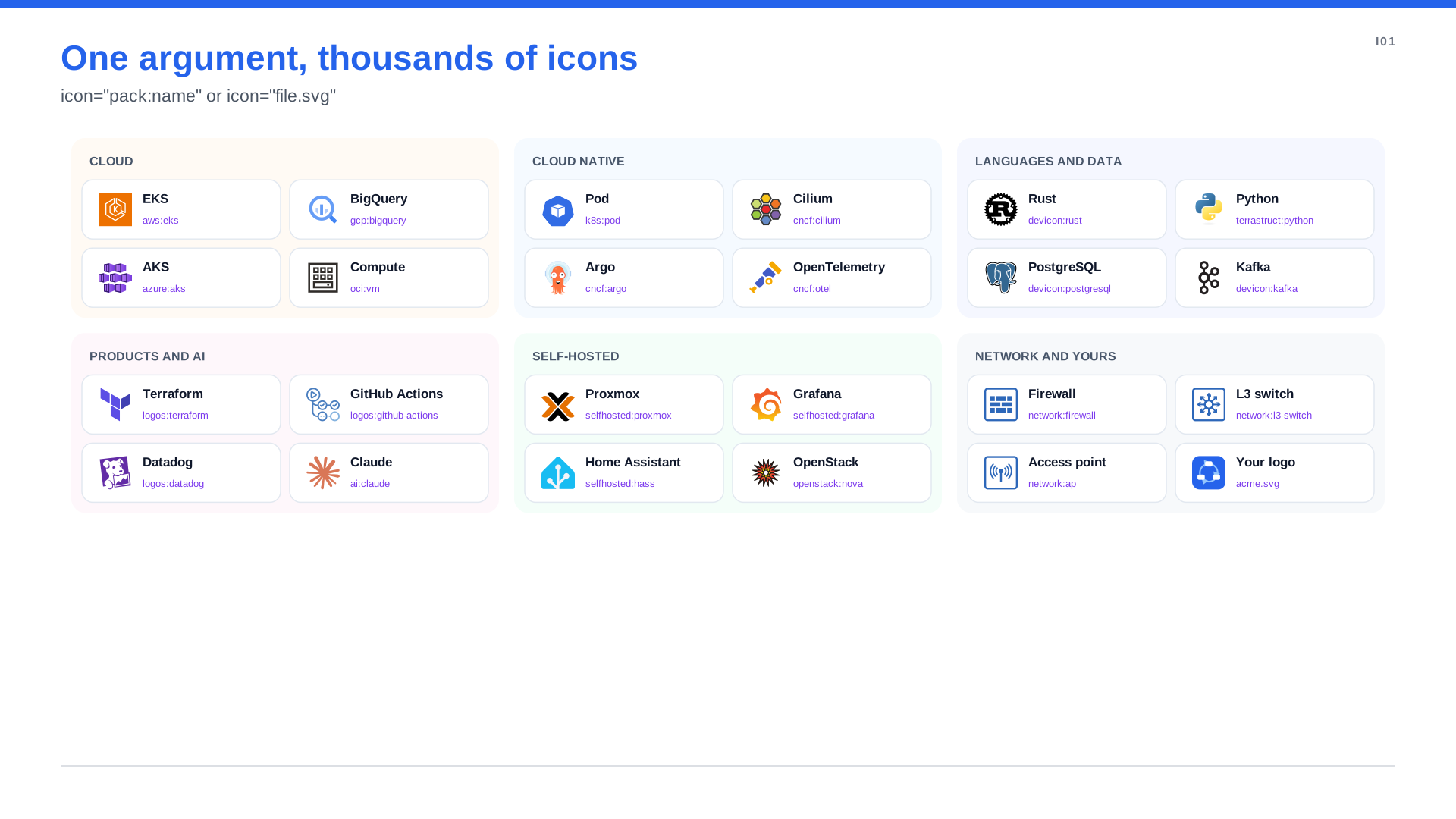
Thirteen packs, one argument
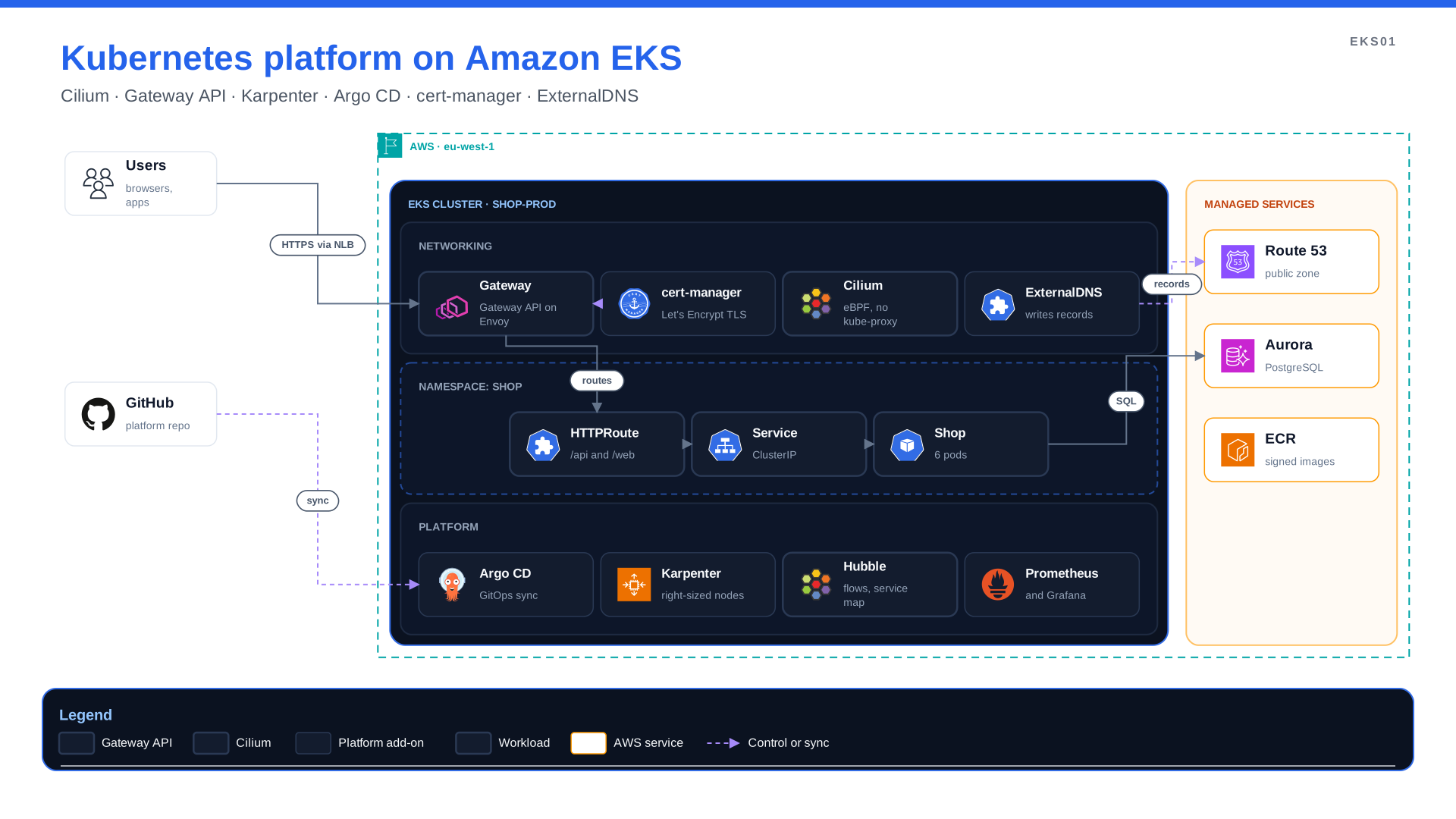
Kubernetes on EKS
Network and homelab icon packs
Two new packs cover what the cloud packs do not: network (550 symbols for routers, switches, firewalls and access points) and selfhosted (Proxmox, TrueNAS, OPNsense, Pi-hole, Home Assistant and over 3,000 more).
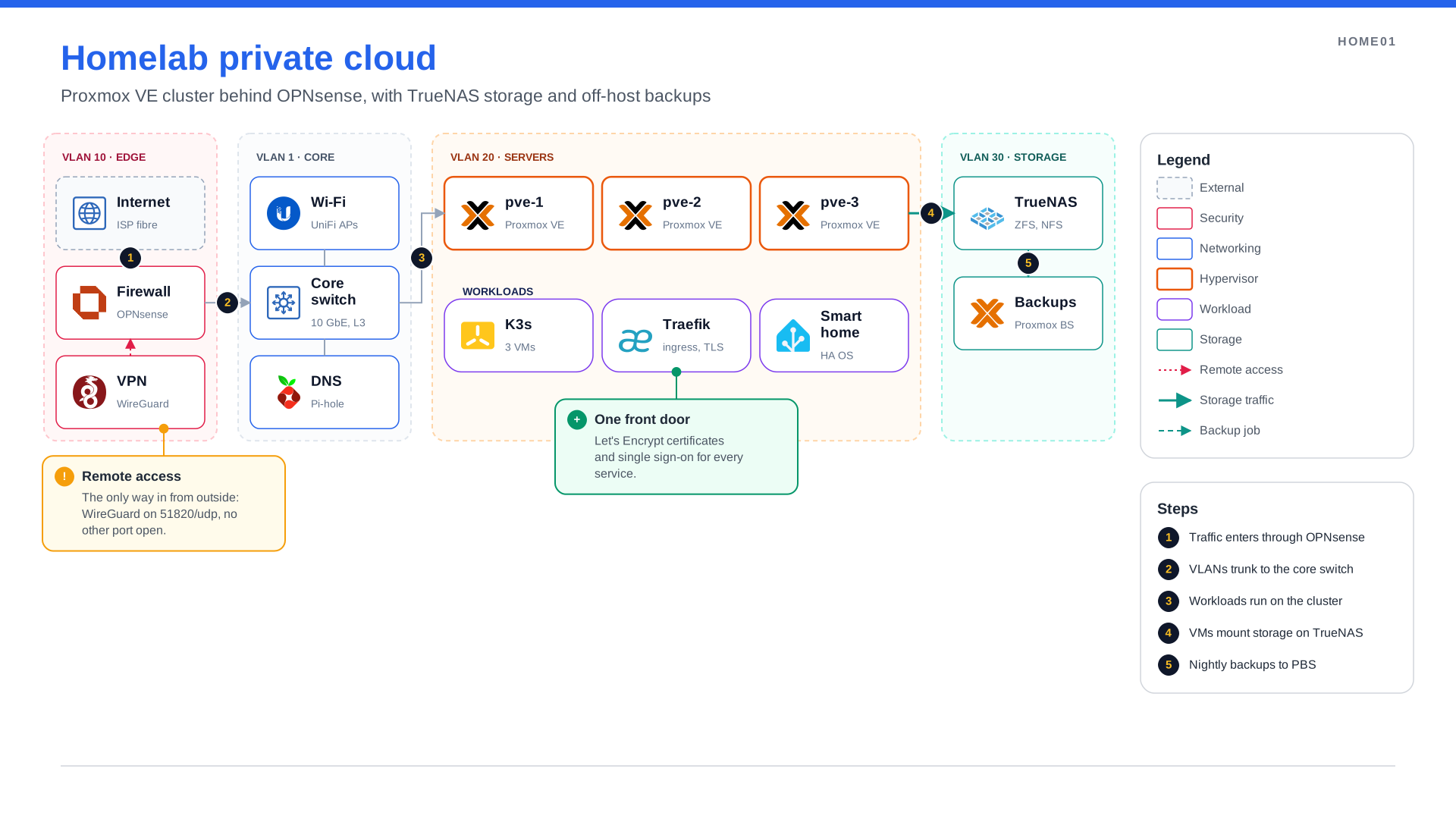
Homelab private cloud
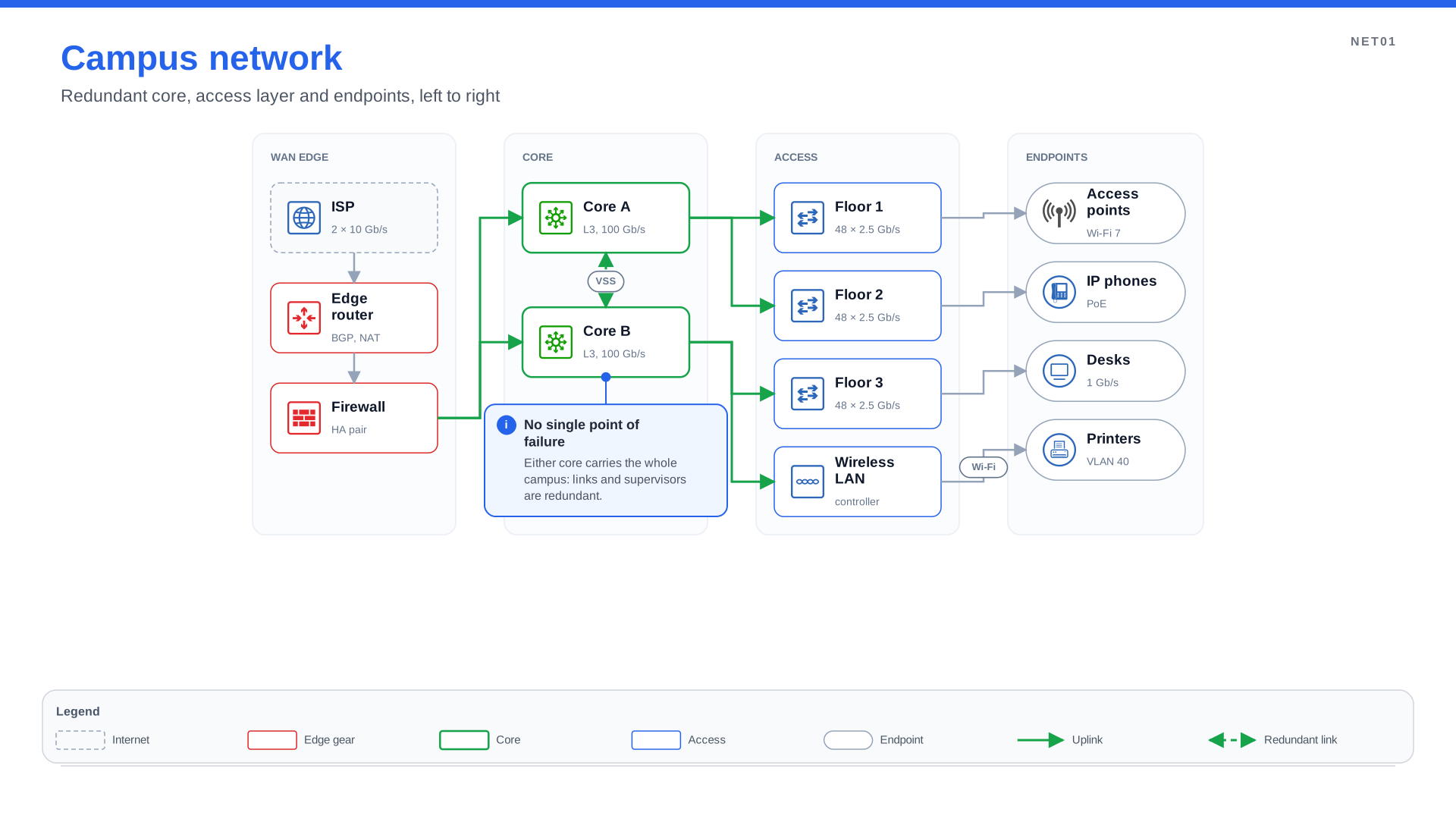
Campus network
The full list of changes is in the changelog.