
Flowcharts, states and swimlanes
Procedures, lifecycles and cross-team processes, with builders that speak each diagram's language.
Flowchart
Use it for: runbooks, approval rules, "what happens when the card is declined".
Every verb draws the right symbol, and decisions get .yes() and .no():
"""Flowchart: `spinagram render examples/behavior/flowchart.py -f svg,pptx -o out/`."""
from spinagram import Flowchart

fc = Flowchart("B01", "Checkout", subtitle="Flowchart builder, laid out by the layered engine",
               layout={"engine": "layered", "direction": "right", "rank_gap": 48},
               css="node::title { font-size: 21 }")  # a touch smaller so all eight steps fit one slide

start = fc.start()
card = fc.io("Read card")
valid = fc.decision("Card valid?")
charge = fc.process("Charge card")
paid = fc.decision("Charged?")
receipt = fc.document("Send receipt")
error = fc.io("Show error")

start >> card >> valid
valid.yes(charge) >> paid
valid.no(error)
paid.yes(receipt) >> fc.end()
paid.no(error)
error.to(card, "retry")
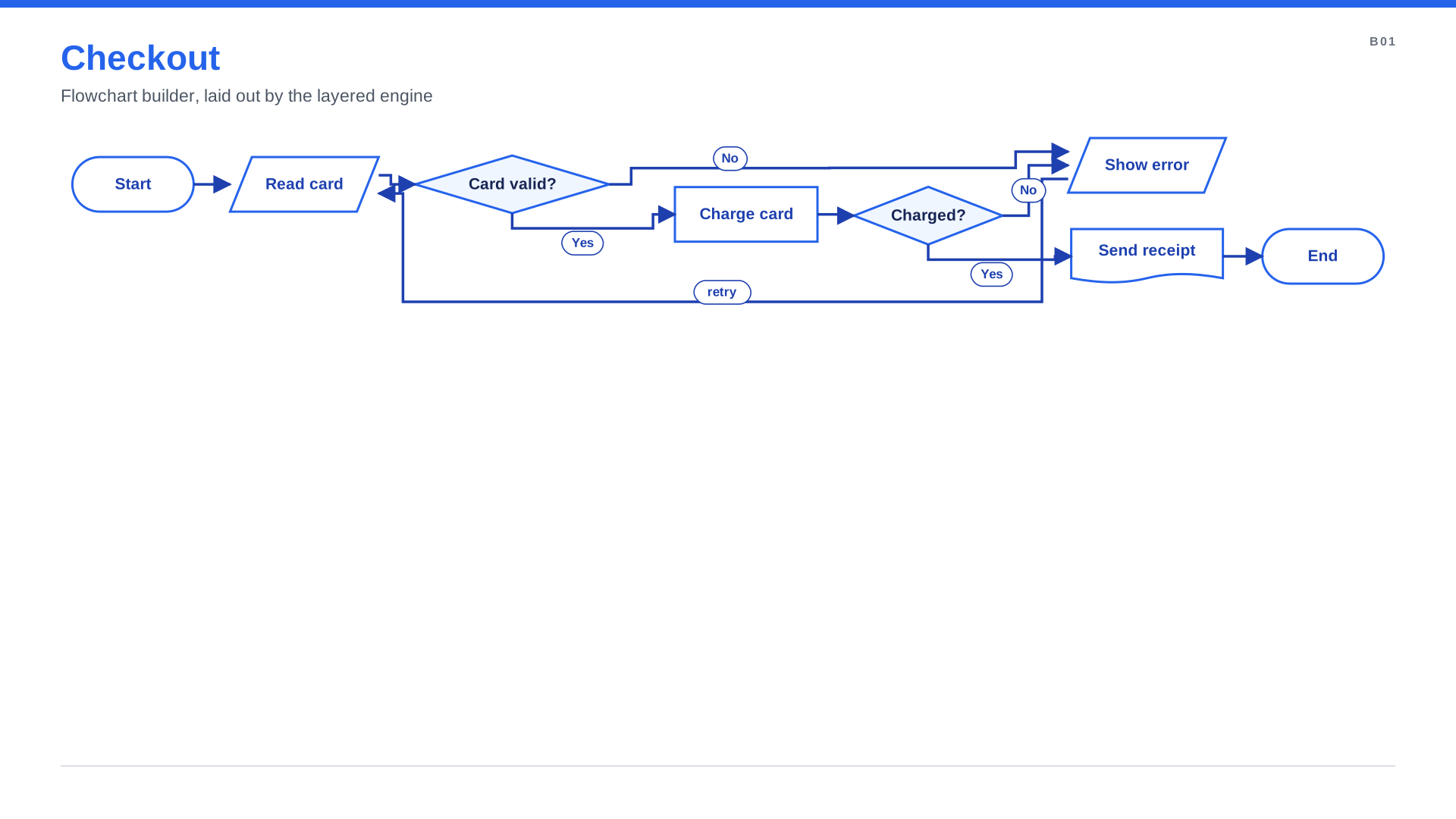
Keep the happy path on >> chains and branch off with .no(); the layout keeps the main line straight.
spinagram check warns about a decision with only one branch.
State machine
Use it for: order, ticket, deployment or account lifecycles.
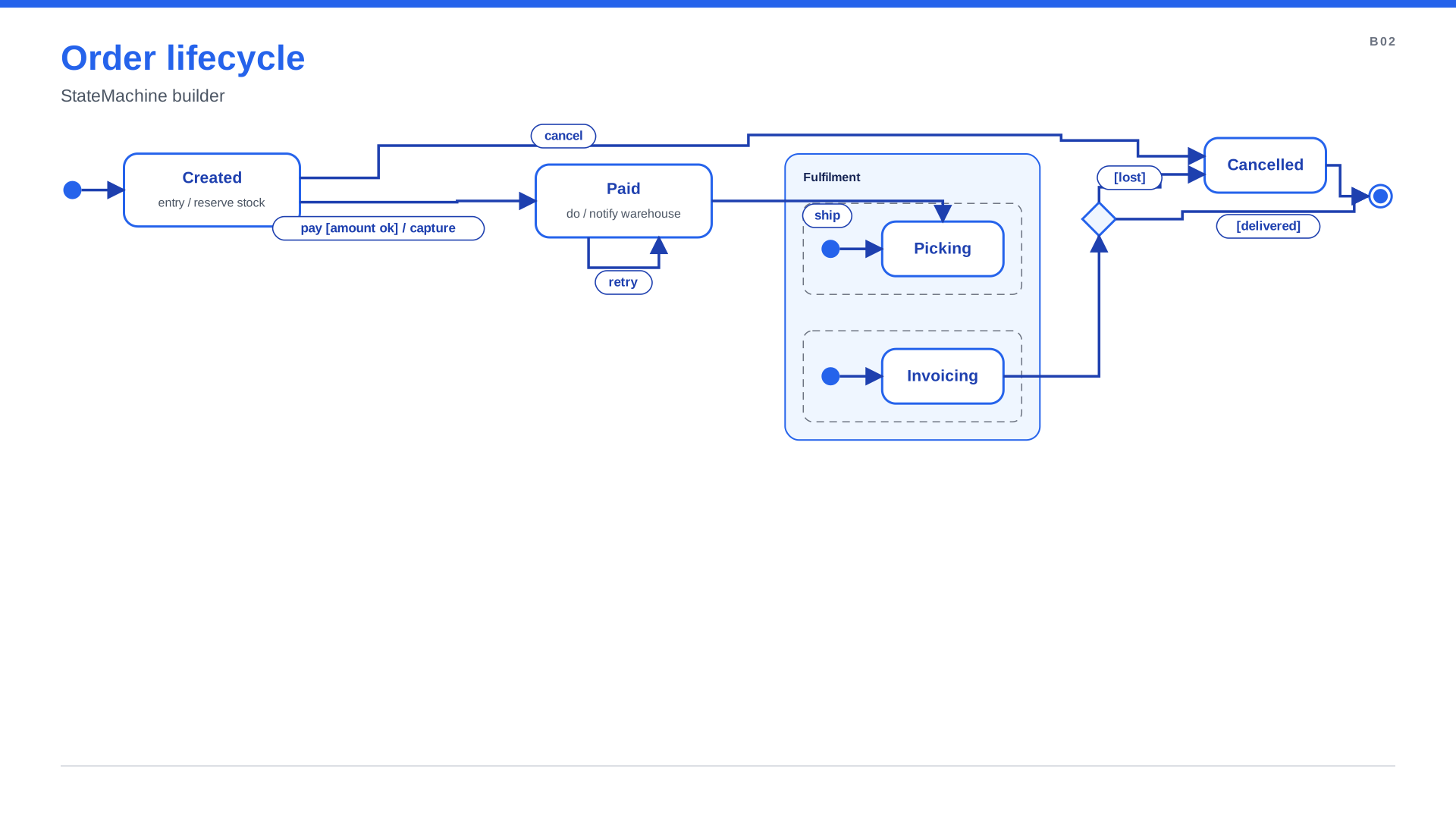
state.on(event, target, guard=, action=) labels transitions the UML way, event [guard] / action.
Composite states and parallel regions nest with with.
"""State machine: composite state, orthogonal regions, history, choice and self-transition."""
from spinagram import StateMachine

sm = StateMachine("B02", "Order lifecycle", subtitle="StateMachine builder", direction="right",
                  layout={"engine": "layered", "direction": "right", "rank_gap": 56},
                  css="state::title { font-size: 21 } state::body { font-size: 16 }")

created = sm.state("Created", entry="reserve stock")
paid = sm.state("Paid", do="notify warehouse")
cancelled = sm.state("Cancelled")
sm.initial >> created
created.on("pay", paid, guard="amount ok", action="capture")
created.on("cancel", cancelled)
paid.on("retry", paid)

with sm.composite("Fulfilment") as f:
    with f.region() as picking:
        pick = picking.state("Picking")
        picking.initial >> pick
    with f.region() as billing:
        bill = billing.state("Invoicing")
        billing.initial >> bill

paid.on("ship", pick)
done = sm.choice()
bill >> done
done.to(sm.final, "[delivered]")
done.to(cancelled, "[lost]")
cancelled >> sm.final
Process with swimlanes
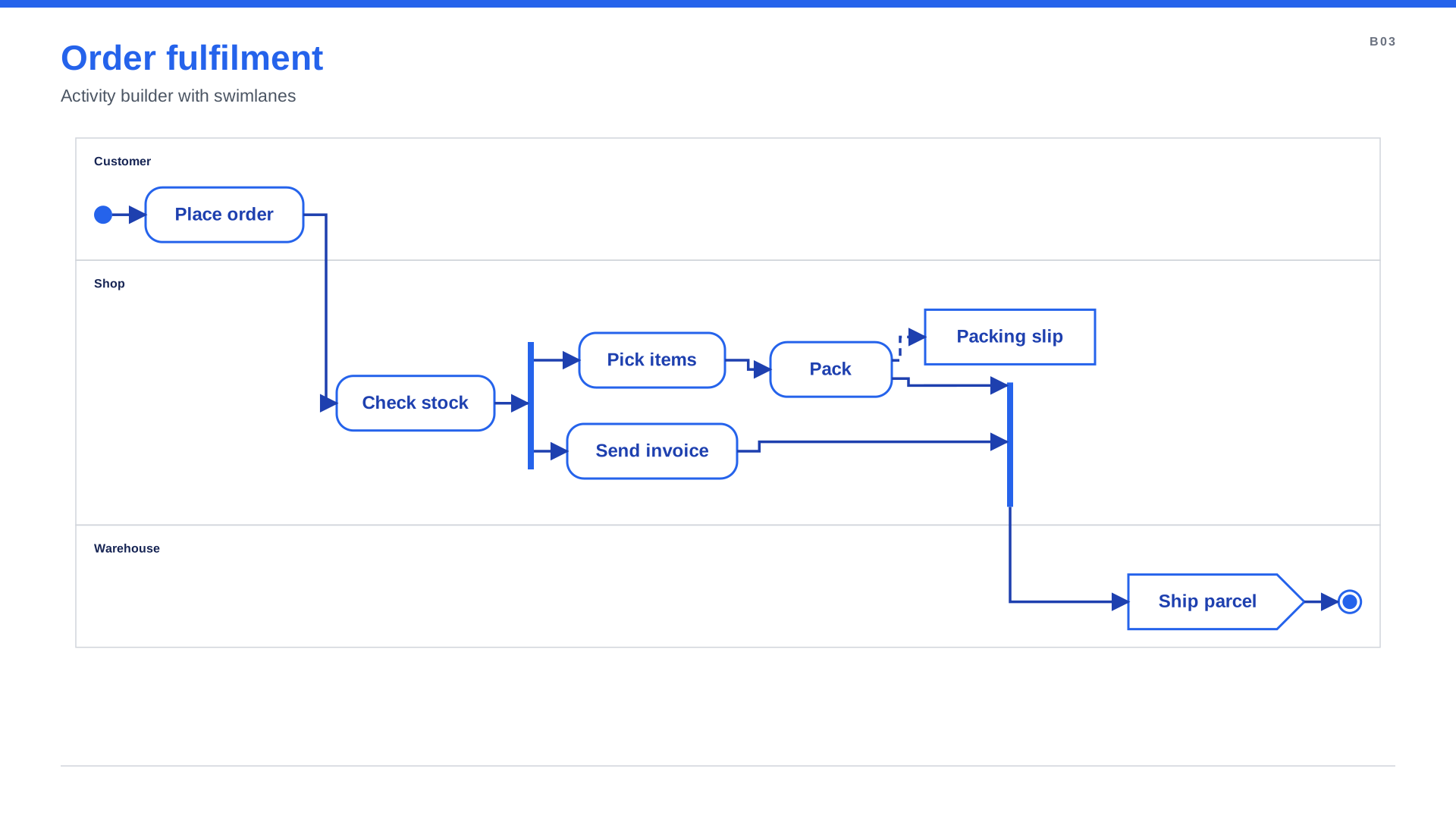
Use it for: cross-team processes, hand-offs, "what happens after the customer clicks Buy".
Put actions inside with act.lane("Team"): and let with act.sequence(): connect them in order. A
parallel() block draws the fork and join bars.
"""Activity: swimlanes, a sequence and a parallel block (fork and join bars)."""
from spinagram import Activity

act = Activity("B03", "Order fulfilment", subtitle="Activity builder with swimlanes", direction="right",
               layout={"engine": "layered", "direction": "right", "rank_gap": 44})

with act.sequence():
    with act.lane("Customer"):
        act.start()
        act.action("Place order")
    with act.lane("Shop"):
        act.action("Check stock")
        with act.parallel() as par:
            with par.branch():
                act.action("Pick items")
                pack = act.action("Pack")
            with par.branch():
                act.action("Send invoice")
    with act.lane("Warehouse"):
        act.send("Ship parcel")
        act.end()

with act.lane("Shop"):
    slip = act.object("Packing slip")
pack >> slip
Next to the architecture
Any of these can sit inside an architecture diagram as a region: Several diagram types on one slide. Every verb and option: Behavior diagrams.