
What's new in 0.3
Editable Excalidraw scenes and an MCP server for AI agents.
spinagram 0.3 hands your diagrams to two new places: Excalidraw, as scenes you keep editing by hand, and AI agents, through an MCP server that renders, checks and previews diagrams without a shell.
Edit your diagrams in Excalidraw
-f excalidraw writes one .excalidraw file per diagram. Open it in Excalidraw (File → Open, or drop
it on the canvas) and every box, arrow, label and icon is its own element. Nothing is a flat picture.
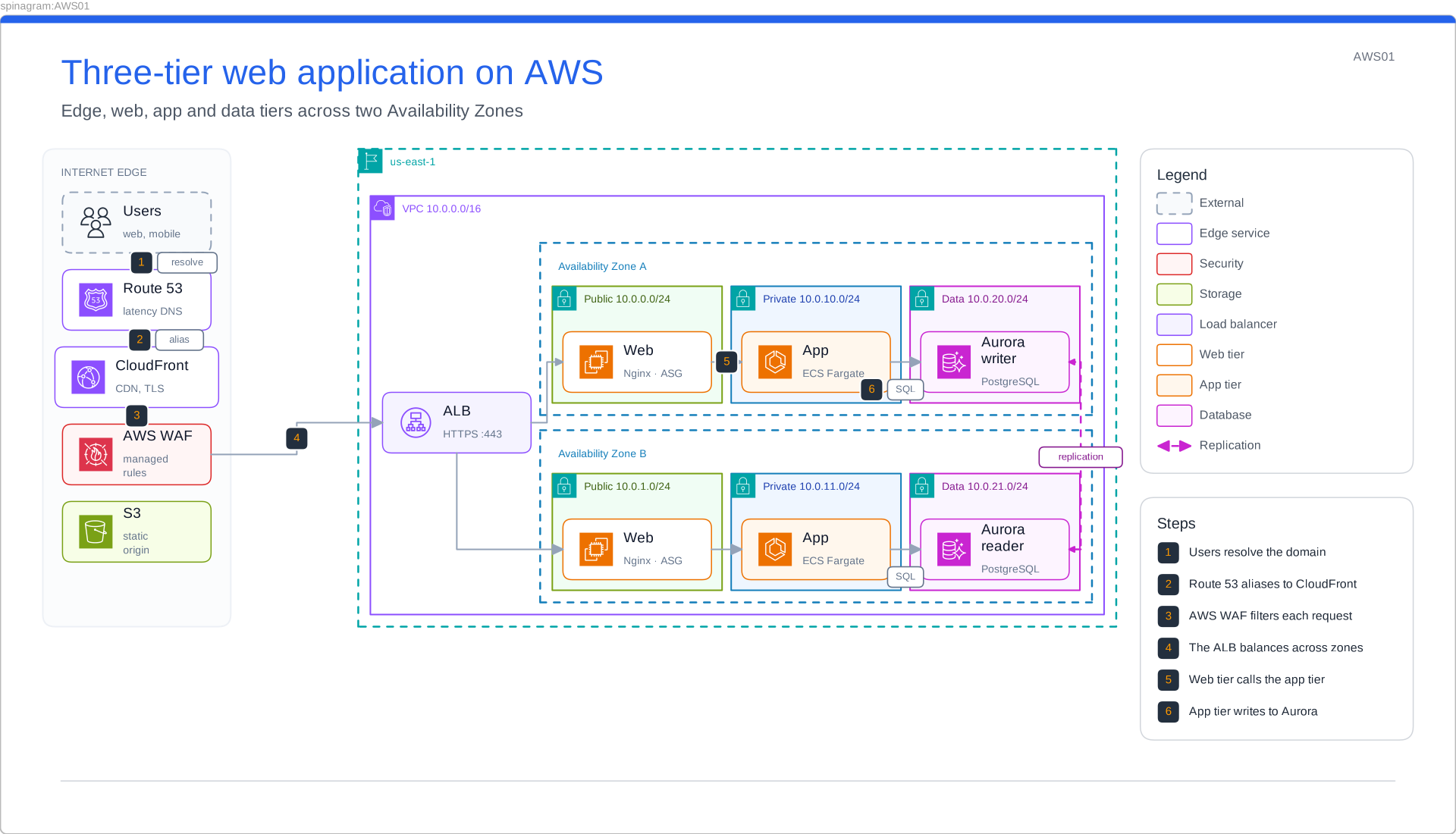
spinagram render specs/ -f svg,excalidraw -o out/These pictures were drawn by Excalidraw itself from the files spinagram wrote: the scenes went through Excalidraw's own exporter, not spinagram's SVG backend. Download a scene and open it to try it.
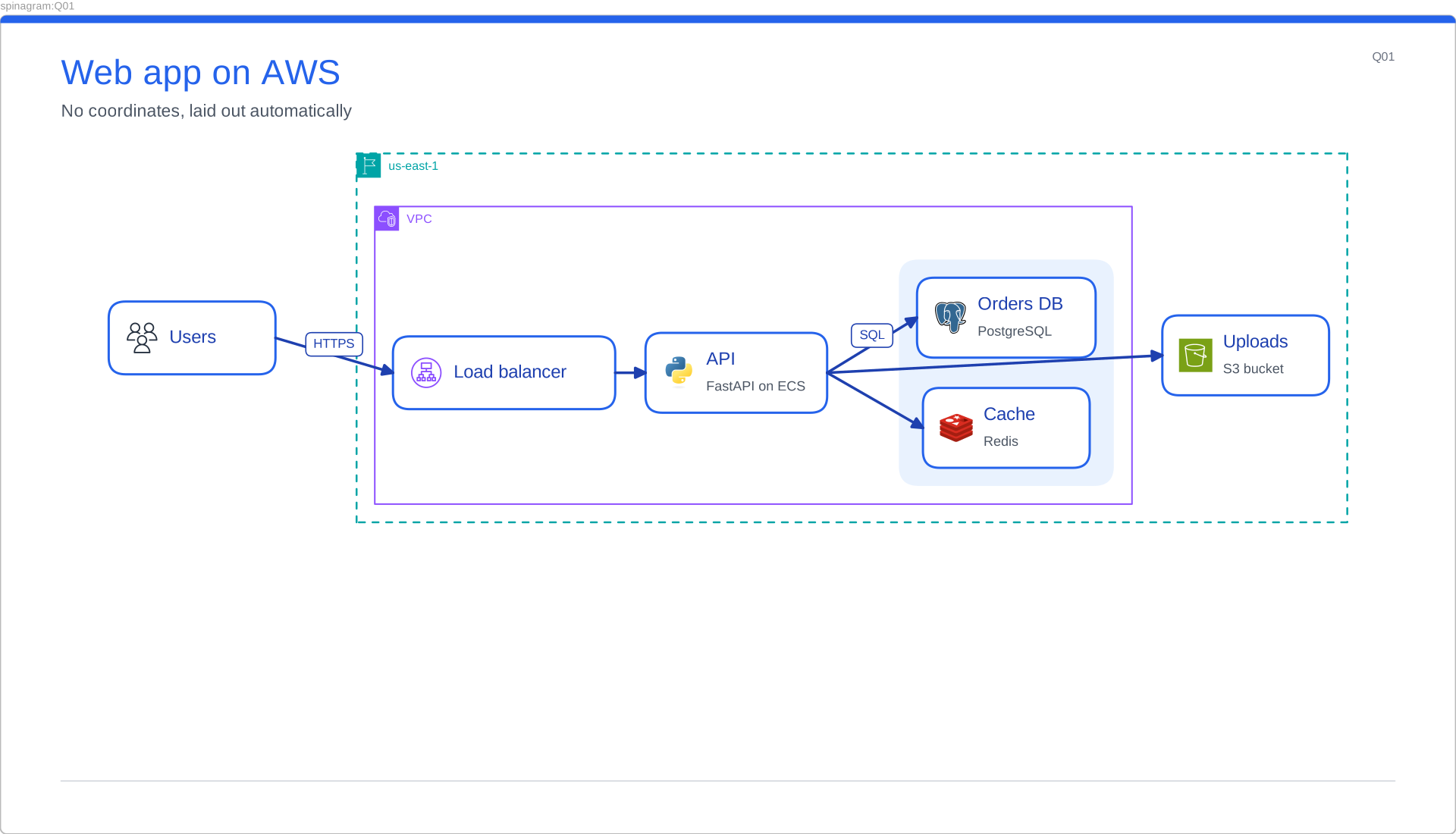
Web app on AWS
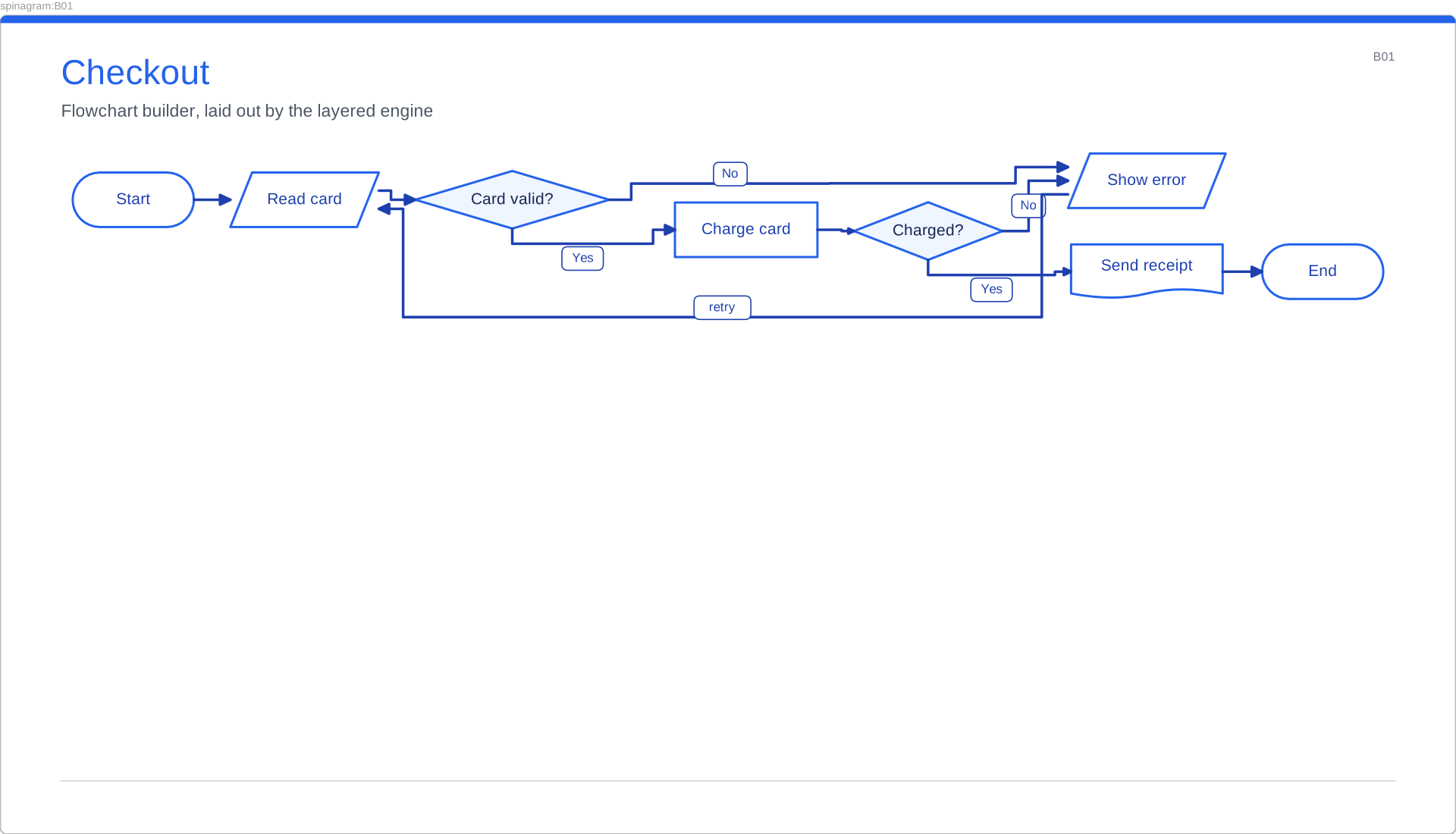
Flowchart
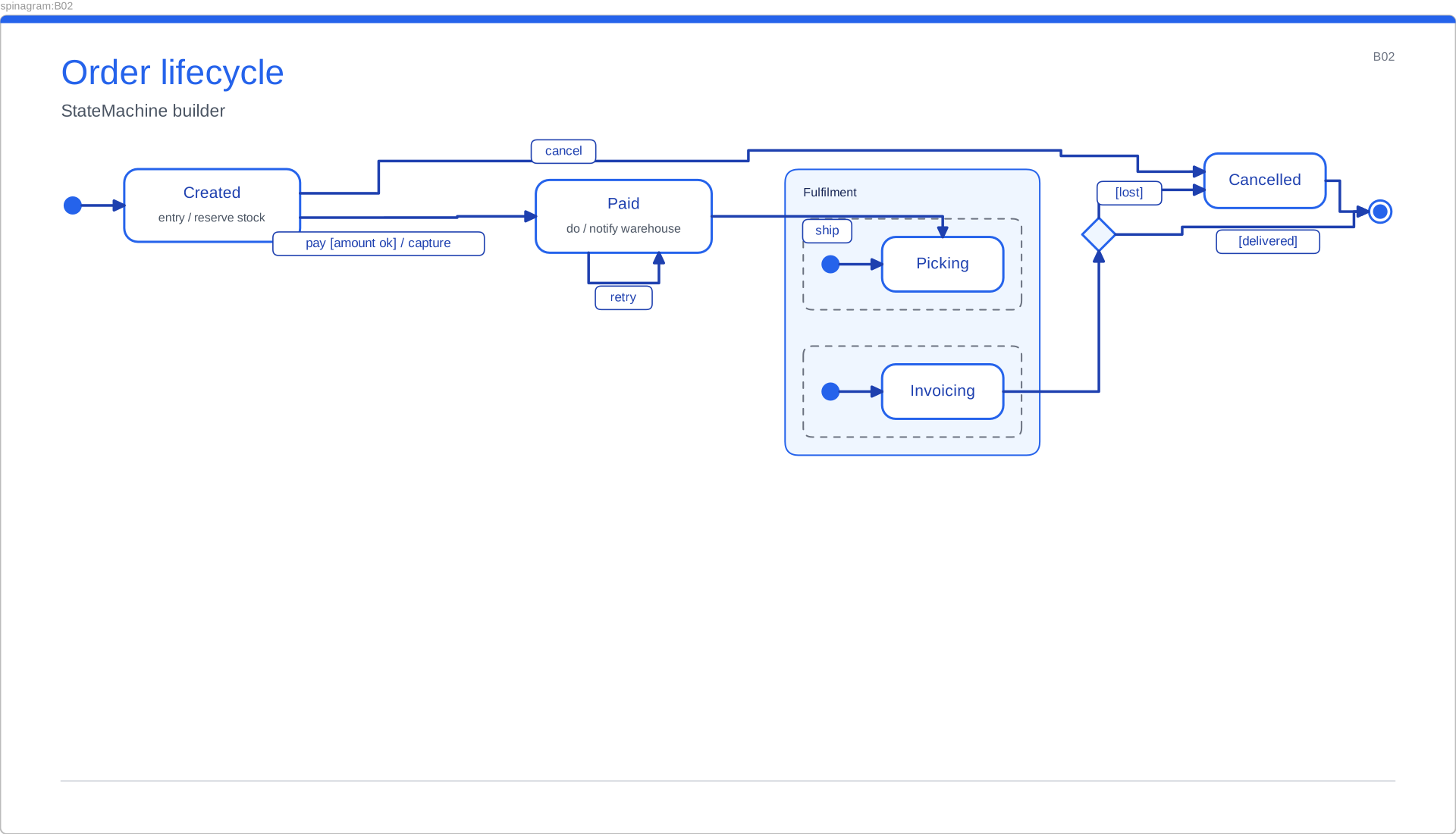
State machine
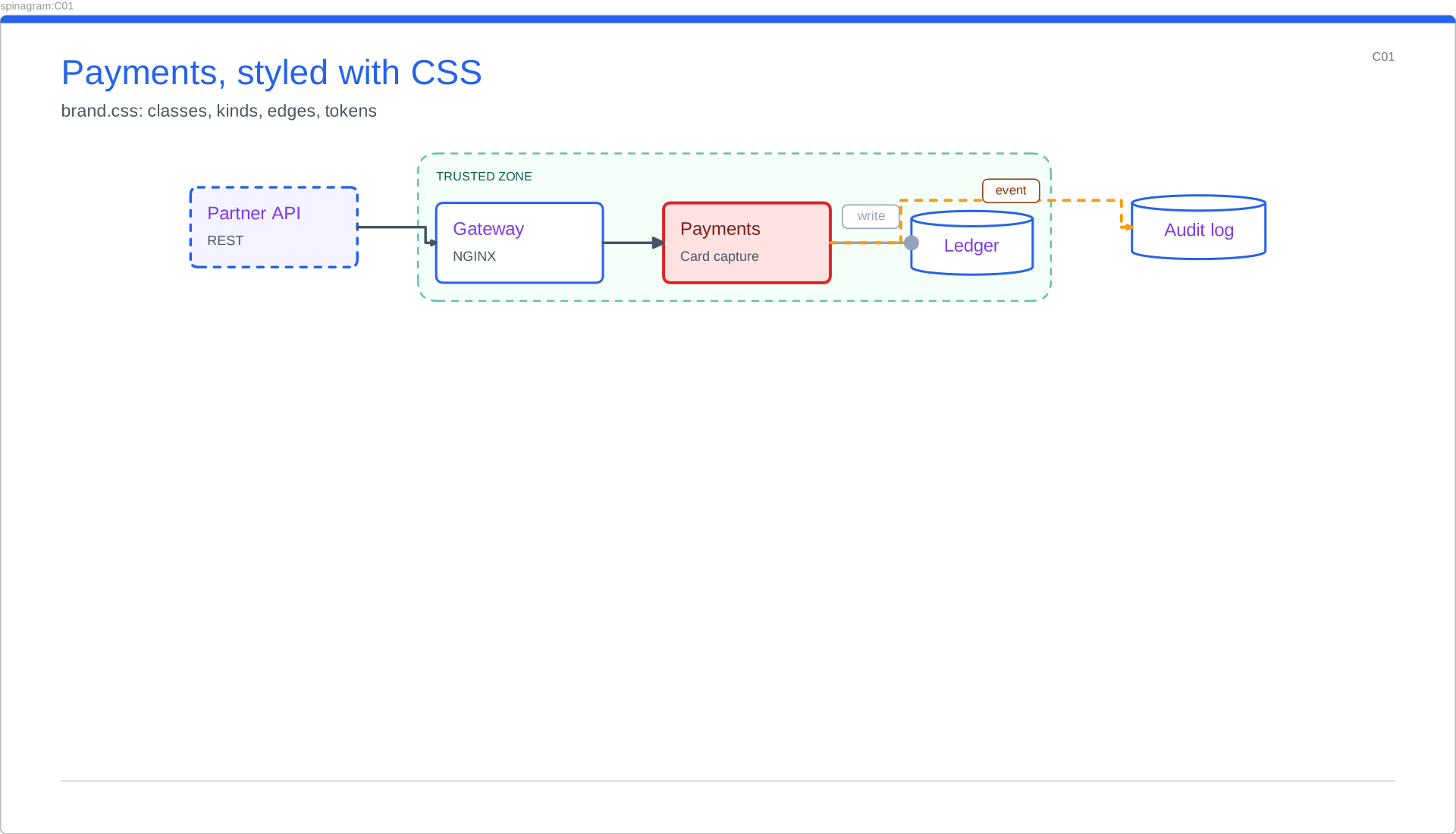
Styled with CSS
- Arrows stay attached. Each arrow is bound to the boxes it connects, so moving a box in Excalidraw drags its arrows along.
- Clean, not sketchy. The scene uses Excalidraw's architect style (no hand-drawn wobble), your theme's colours and the same positions as the SVG.
- Diff-friendly. The same spec writes the same bytes, so a
.excalidrawfile in git only changes when the diagram does.
Give your AI agent spinagram as a tool
spinagram mcp is an MCP server. An agent connected to it can render
and check diagrams and look at a PNG preview of the result, with no shell access at all. One command adds
it to your agent:
pip install 'spinagram[mcp]'
spinagram mcp install -a claude          # also: codex, copilot, cursor, gemini, opencode
Here is what an agent sees, recorded from a real session:
→ check   {"paths": ["specs"]}
← {"diagrams": 1, "issues": []}

→ render  {"paths": ["specs/quickstart.yaml"]}
← {"written": ["out/Q01-web-app-on-aws.svg", "out/Q01-web-app-on-aws.excalidraw", "out/index.html"]}
  + image/png preview of Q01

→ render  {"paths": ["../elsewhere.yaml"]}
← error: path outside root: ../elsewhere.yaml- Five tools:
render,check,layout,stylesandicons_search, with the same results as the CLI. - Previews:
renderattaches a PNG of the first four diagrams, so the agent can look at what it drew and fix it. - The skills come along. The server offers the spinagram skills as resources, so a connected agent can read how to write a good spec before it starts.
- Safe by default. Every path stays inside the server's
--rootfolder, and HTTP mode listens on 127.0.0.1 only.
Also since 0.1
- Inspector with declarations (0.2). In
spinagram serve, inspect mode highlights the element under the pointer and shows its file and line. Show in code jumps to that line. - Collapsible panels (0.2). Fold the Recent sidebar with
[and the code panel withe. python -m spinagram(0.3) runs the CLI from any Python that has spinagram installed.