How passkey-tpm works
The figures are generated from code in
docs/diagrams/src/ with
spinagram; run
docs/diagrams/render.sh
after changing them.
Components
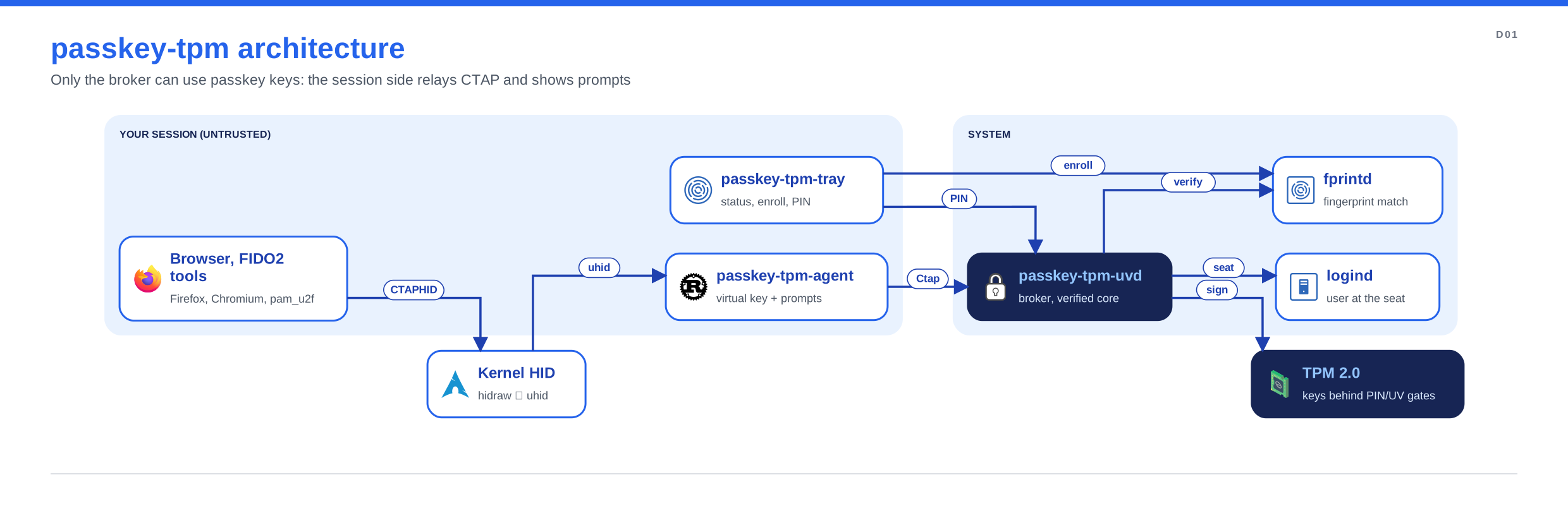
Browsers and FIDO2 tools see an ordinary USB security key. passkey-tpm-agent creates it with
/dev/uhid in your session and forwards each CTAP request to the broker over the system bus.
The broker, passkey-tpm-uvd, runs as its own system user. It checks that you are the user in
front of the screen (logind), asks fprintd to match your finger, and is the only process that
can make the TPM sign. passkey-tpm-tray shows the status, enrolls fingerprints through fprintd
and sets the PIN through the broker. Everything in your session is untrusted: it can relay or
drop requests, but it can't sign without your finger or PIN.
Registering with a fingerprint
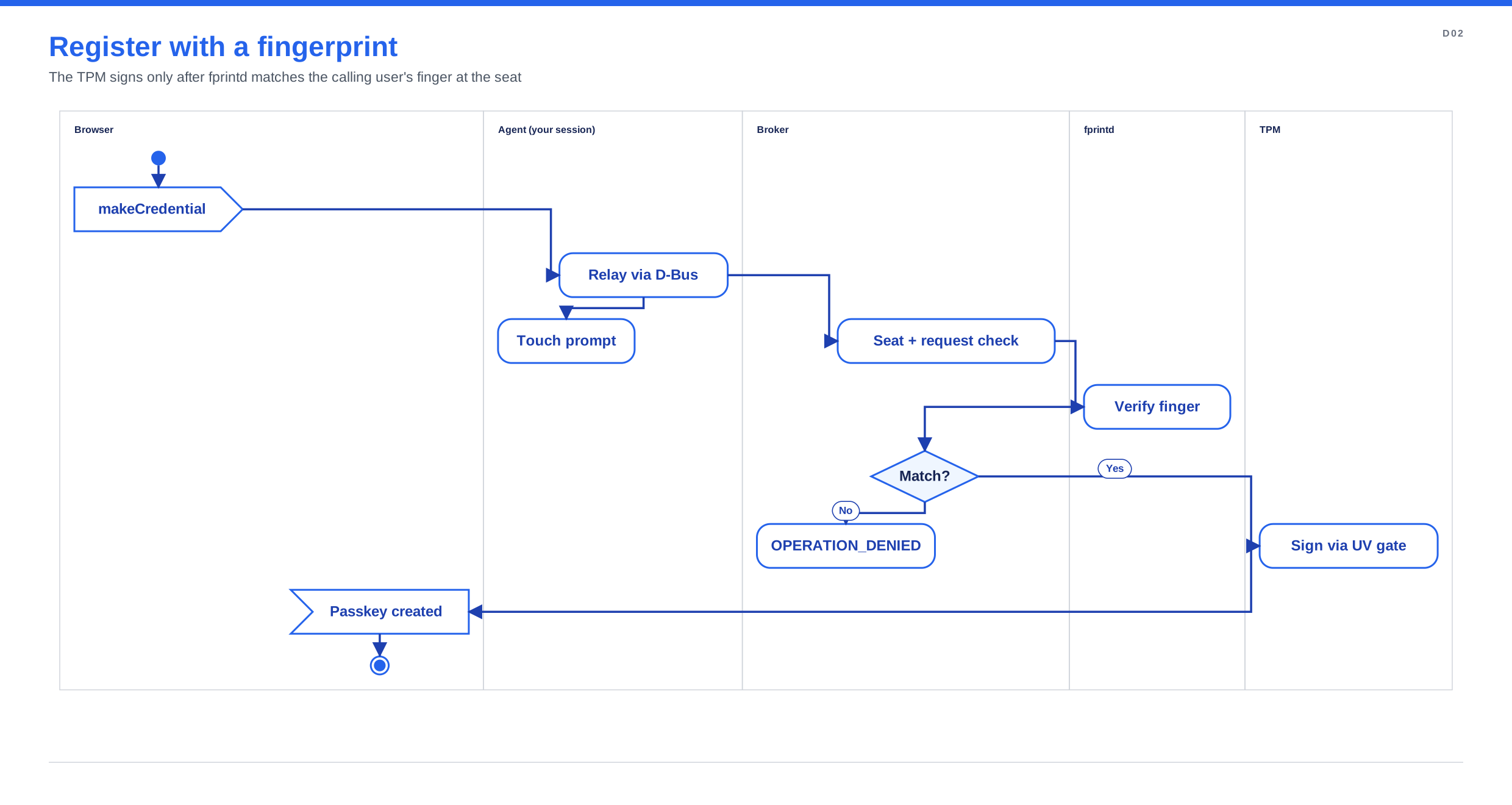
The agent shows a "touch the reader" prompt, but the decision is the broker's. Only a
verify-match from fprintd, for the calling user and from the fprintd instance the broker
claimed, becomes user-verification evidence.
Without a fingerprint: PIN and Allow
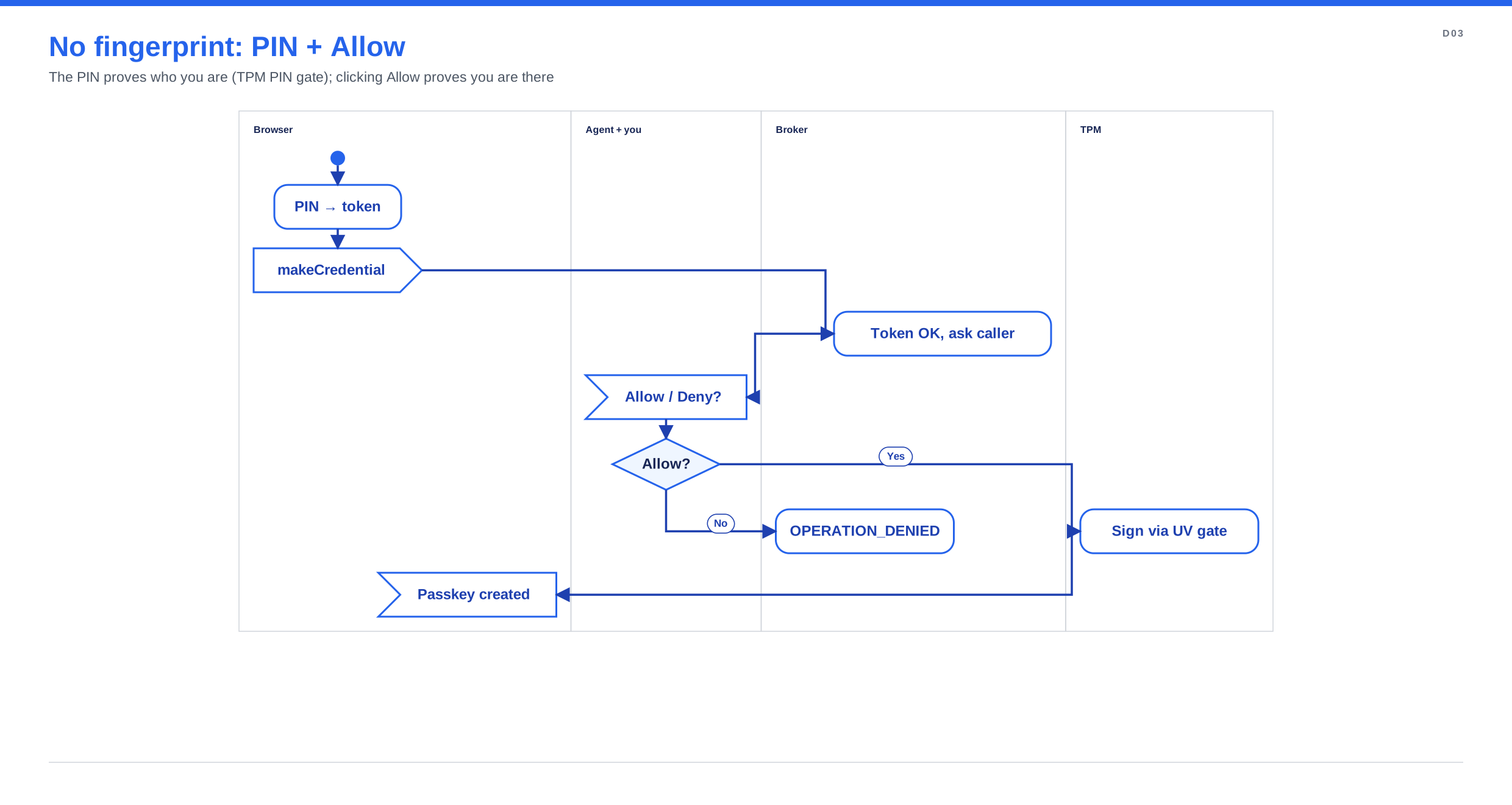
Users with no enrolled fingerprint verify with the security-key PIN, which the TPM checks
against a DA-limited PIN gate. Presence comes from an Allow click: the broker sends
PresenceRequested to the program that made the request and accepts ConfirmPresence only from
that same connection. This is weaker than a fingerprint touch; see the
threat model and STATE AD-022.
TPM policy
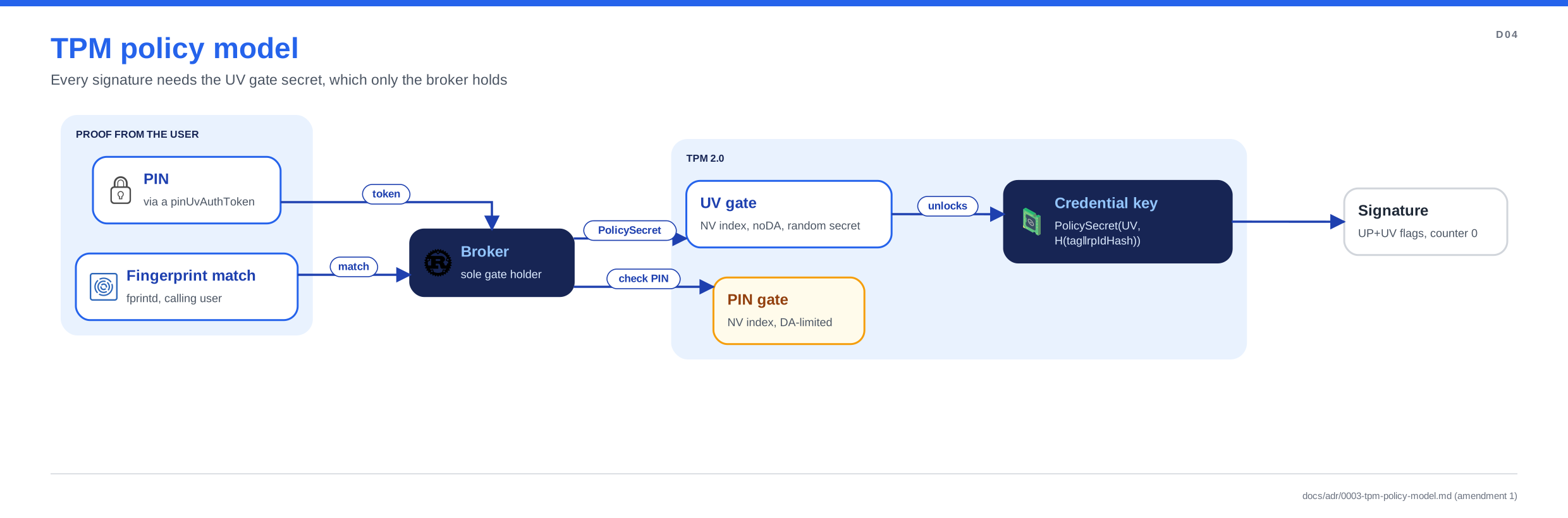
Each passkey is a TPM key whose policy is PolicySecret on the per-user UV gate, bound to the
relying party (H(tag ‖ rpIdHash)). Only the broker knows the UV gate secret, so a compromised
session or another user with TPM access can't sign. A PIN is checked against the PIN gate
first; the signature still goes through the UV gate. Details:
ADR 0003.